
Topics of the Week :: COMM 2423 Writing for Digital Media

Old Ford Tow Truck 1 by Cramit.
"Old Ford Tow Truck 1" by Cramit

In our Writing for Digital Media course at Southeastern University, we’ll all blog about the same general topic each week during the semester. Your TOWs of 300 words or longer should be posted by Saturday at midnight at the end of each week.

If a week has more than one topic listed; choose one of the available topics on those weeks.

If you have a topic to suggest, please add it as a comment to this blog post.

If you are unsure how to get started writing these TOWs, many times you can use this three-pronged approach:

  1. What did you learn?
  2. What surprised you?
  3. What do you want to know more about?

WEEK ONE

  • OPTIONAL: Which types of social media do you currently participate in (such as blogging, podcasting, social networking, etc.), which platforms you use, and why? [NOTE: Since you are creating your blog after after Week One, you will go back and add this post in.]

WEEK TWO

  • Read at least a dozen posts at one mainstream media blog. Briefly review the blog and explain how students in this class can benefit from reading a blog such as this one.

WEEK THREE

  • Visit Mignon Fogarty’s Grammar Girl’s website. Either read one of her blog posts or listen to one of her podcasts on an area of grammar that is troublesome to you. Write about what you learned (using the three-pronged approach above.)

OR

  • This week, you took the NewsU Cleaning Your Copy course. There were four main topics in this course: Grammar, AP Style, Punctuation and Spelling. Using the three-pronged approach described at the top of this post, describe your reactions to this course. Remember to include a  hyperlink to the course, too.

WEEK FOUR

  • Discuss how writing for online reading is different than writing for analog reading. Offer 10 do’s and don’ts for writing for online reading.

WEEK FIVE

  • Why are comments such an integral part of blogs? What advice would you offer on writing effective blog comments?

WEEK SIX

  • Offer 10 tips for writing effective headlines for digital media.

WEEK SEVEN

  • What is Storify, and how can it be used by journalists or public relations practitioners?

WEEK EIGHT

  • This week’s topic was inspired by Adam Vincenzini’s Be My Guest month: post something by a guest blogger. Connect with another blogger (it can, but doesn’t have to, be someone in your class) and exchange blog posts for the week. (You don’t have to write something new for the other blogger . . . share your favorite post you’ve written this semester.) In your own blog, make it really clear that the post is written by another person, and link to your guest’s blog.

WEEK NINE

  • Address several of the following questions about infographics. What are they? How could one be useful in a story for your client? How do you go about creating one? Create one if you can, and embed it in your blog post this week.

WEEK TEN

WEEK ELEVEN

  • TBA

WEEK 12

  • Using the CoverItLive service, embed the live blog of an event assignment that you completed this semester. (See CoverItLive Support Center for directions on how to do this.) Provide at least one paragraph of context that will help your readers know something about the event and the organization that sponsored the event. Also, knowing now what you do about live blogging, provide at least five tips for students who may be live blogging an event in the future.
OR
  • Use Storify to create a story about something of interest to students at Southeastern University. Also, knowing now what you do about Storify, provide at least five tips for students who may be live blogging an event in the future.

WEEK 13

  • What advice would you offer students who are new to blogging? Come up with your own Top 10 list. (Note: Complete blog is due at the end of this week.)

WEEK 14

  • Optional

WEEK 15

  • Optional

WEEK 16

  • Optional

Blogging Guidelines for COMM 2423 (Writing for Digital Media), Fall 2011

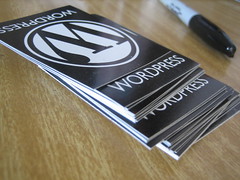
Image Credit: "WordPress Swag" by Elea Chang

One form of writing for digital media is blogging. You will add content to your blog weekly throughout the semester. Feel free to continue to use an existing blog of yours, unless you feel compelled to start fresh with a new blog for this course.

My WordPress 101 post will help you get started with your blog.

To make it easier for your readers to find what they are seeking at your blog, it’s important to use Categories. Please add a category for each type (listed below), and make sure each post is categorized appropriately. Each post for this class must have the category of “COMM 2322” along with at least one additional category.

1. TOW: Topic of the Week – Each week this semester, we will have a specific topic that all students will blog about. You should have at least 13 of these before the end of the semester. At times, you will watch a video, listen to a podcast, or read a specific blog post, and provide your thoughtful reactions. These posts must be a minimum of 300 words. We’ll keep our running list of TOWs for your class here at my blog (TOWs for Writing for Digital Media).

2. Writer’s Choice – Provide commentary, reflections and opinions about issues/examples that were not addressed in class. These can be responses to other blogs you read, links to interesting posts or articles, embedded YouTube videos, etc. Some students like to choose a theme (such as entertainment or sports PR) and have each Writer’s Choice be related to the theme. Though these don’t have a minimum word length, you will need to adequately discuss your subject in the post. You should write at least 10 of these during the semester.

3. Blog comments – whenever you comment on someone’s blog (whether it’s a professional or a fellow student), add the comment to ONE post that you update throughout the semester so I can assess your online participation. Check with me if you unsure if a blog would count as a “professional” blog. You should have a minimum of 10 comments by your Blog Checkpoint #2 and at least 20 (total) before the end of the semester. See Tracking Your Blog Comments for Nixon’s Classes for more information.

You may add other categories and sub-categories of your choice. Please keep in mind that when I evaluate your blog I will pay special attention to the categories listed above, but I will not ignore other posts. I will perform a holistic evaluation of your blog, looking for:

  • professionalism: Clear, correct, thoughtful writing
  • frequency: Sufficient posts in categories 1-3, posted throughout the semester. There will be at least two graded blog checkpoints during the semester. (See your syllabus for the specific Blog Checkpoint dates.)
  • linking: Identify other blogs (use PR Open Mic or my blogroll in my Diigo bookmarks as starting points) and link to them. Respond to others’ posts. Become a part of the blogosphere. Blogging should not be lonely.
  • readability: brief & concise writing style, use of white space, bold characters, images, bullet points
  • proper credit and use of images in all Topics of the Week and PR Connections. (Use Compfight to find your images; be sure they are licensed for Creative Commons use. I’ll show you how to do this in class.)

SUPER-IMPORTANT: In order for you to get credit for your blog, I need to know where it is. Tell me your blog address by completing this Google Form.

Questions? Just let me know.

barbara_is_listening

NOTE: Many thanks to Dr. Mihaela Vorvoreanu at Purdue University, who allowed me to use her blogging guidelines from her PRinciples class. They were so well-written that I made just a few tweaks for my own class. Dr. V knows that Blogs Matter.

7 Things You Need to Know About Social Media NOW

Slides to accompany a workshop I am sharing with the fine folks at Lanier Upshaw, Inc., in Lakeland, FL, on 8 August 2011.

Bookmarks to sites mentioned in the presentation are listed in my Diigo (social bookmarking) account.

5 Tactics for Keeping Current in Public Relations News & Trends

JKL 5 by mag3737

As summer comes to a close, college students might want to take some time and get back up to speed on what’s happening in public relations and social media before they return to their classes in the fall. Here’s an updated version of a post I wrote last June that should be helpful to you.

~~~~~~~~~~~~~~~~~~~~

Let’s face it . . .  whether you’re a PR student, practitioner or faculty member, we’re all busy. So how can you get (and stay) up to speed with the ever-changing world of public relations? Here’s a quick guide to how I stay current in public relations.

One: Listen to PR podcasts.

Some of my favorite podcasts are: For Immediate ReleaseInside PR, PRStudCastTrafcom NewsMarketing Over Coffee and Coming Up PR. My favorite time to listen to podcasts is during my daily two-mile walks in this sweltering Florida heat. I also listen to them when I drive, work out and clean the house. Some people prefer to listen to podcasts on their computers; my preference is listening to them on my Samsung Epic or iPod.

Here’s a short video on how to subscribe to and download podcasts using iTunes. If you’re not an iTunes person, you may want to visit Podcast Alley, where you can find thousands more podcasts. You can listen to the podcasts directly from the website.

Two: Subscribe to daily or weekly PR e-mailed newsletters.

My favorite PR newsletter is one that comes into my inbox daily from Ragan Communications: the PR Daily newsfeed. When I want to read the latest on PR, this is the newsletter I turn to first. Another helpful newsletter comes from Chris Brogan; Chris provides different content in the newsletter than he does on his blog, so it’s definitely worth subscribing.

Three: Follow PR practitioners on Twitter.

Are you a public relations student (or recent grad) just getting started using Twitter? Try following some (or all) of these people or organizations in my Twitter Starter Pack for PR Students. They all have something in common: they tweet useful or interesting information for people involved in public relations.

Four: Read PR blogs.

There are hundreds of blogs about public relations. I’ve bookmarked many of them in Diigo for you. You can subscribe to them using your favorite RSS reader (such as Google Reader), or just read them on the web. Some of the most helpful blogs I’ve discovered include Gini Dietrich’s Spin Sucks and Shonali Burke’s Waxing Unlyrical.

Five: Watch the news on TV.

Yes, I said “watch the news on TV.” I mean on a real TV, with a complete newscast, not just bits and bobs that you catch online. I start off every day a steaming mug or three of chicory coffee and at least an hour of broadcast news, usually with 15 or so minutes of local news followed by CNN American Morning and Today Show. By knowing what’s going on in the world, it helps frame the snippets of stories I read or hear online throughout the day. To be sure that I’m keeping up on the news, I also listen to the podcast version of  NPR’s Wait Wait Don’t Tell Me weekly news quiz. (I sometimes even play the Lightning Round of Wait Wait in class on Mondays to see how much my students know about what’s going on in the world.)

Your suggestions?

What additional resources would you recommend?

(NOTE: This post is an updated version of one I wrote in early January 2010.)

Arrive, Survive and Thrive in Prof. Nixon’s Classes, Fall 2011 Edition

Image Credit: "Echinacea" by Barbara Nixon

An Open Note to All of Prof. Nixon’s Students:

It seems like summers get shorter every year. This summer, I was asked to become the Interim Chair of the Communication Department at Southeastern University, so my summer was spent with several days a week on campus preparing for the fall. I hope that your summer was fulfilling, whatever you chose to do.

You will soon be able to see the syllabi for my two fall courses, PR Applications and Writing for Digital Media, at my Scribd site (update: available now). If a syllabus is updated during the semester, you’ll find out in class, and the current version will always be available at Scribd. To learn which books and supplies you will need now, see Getting a Jumpstart on Prof. Nixon’s Fall 2011 Classes.

So that we can make the most of this semester, please (Please, PLEASE) take some time to read through the blog posts I’ve included here. I promise you, it will be well worth your time. (How often do professors let you get inside their heads, letting you know their tips for success and their pet peeves?)

Additionally, here are a few more tips:

  • When communicating with me via e-mail (or Facebook), always put your course number (such as COMM 2322) in the subject line to help me immediately identify who you are and frame your questions or comments. Do your best to write in full sentences, paying attention to standard English grammar and spelling. Always sign your e-mails with your first and last name, as your e-mail address will not make that readily apparent to me.
  • When submitting an assignment in BlackBoard, always put your last name as part of the file name, and also include your name in the document itself. Papers submitted without your last name as part of the file name cannot earn full credit.
  • If an assignment is due in BlackBoard, the only way to get full credit for the assignment is to submit it in BlackBoard. (E-mailing an assignment to me can be risky; I receive 250+ e-mails a day, and there’s a chance I will not even see it in my inbox.)
  • Follow me on Twitter, if you really want to get inside my head. (What’s Twitter?)

Let’s make this a great semester together!

(PS: If you’re one of my Fall 2011 students reading this post, please leave a reply to this post so that I can know you have read it. If your reply doesn’t show up immediately, no worries — I may need to approve it before it appears, if you’ve never commented on my blog before.)

Getting a Jumpstart on Prof. Nixon’s Fall 2011 Classes

Image Credit: "Maple Leaf Structure" by Steve Jurvetson

If you’re looking to get a jumpstart on my classes this fall, here are the books and other required resources that we will be using. I’ve linked to many of them at Amazon.com, but of course you can purchase them from anywhere you like. I recommend you try the Facebook Marketplace first, so you can get a good deal AND help a fellow student.

Public Relations Applications (COMM 2322)

Writing for Digital Media (COMM 2423)


Questions? As always,

(PS: Syllabi for my classes will be posted in mid-August.)


Social Media Summer Camp 2011

Image Credit: "Round Bales" by Patrick Henson

WHAT: An eight-week series of challenges to help keep PR & social media skills honed over the summer months. Examples of challenges

  • Take photos & create an online slide show of your 20 best images
  • Read and review a book on social media (perhaps even creating a narrated PPT/prezi)
  • Interview one or more PR/social media pros
  • Create (or revamp) your LinkedIn profile
  • Create a digital portfolio

WHO: Designed for college students interested in the fields of public relations and social media

WHERE: All online, at our Posterous site

WHEN: June 5 – July 30, 2011

HOW: Visit our Posterous site, leave a reply and your Social Media Summer Camp Counselors will get back with you with more details

Essential Android Apps for Professors, Revisited

Samsung Epic 4G

At the end of last summer, I was first in line at my local Sprint store when the Samsung Epic 4G came out. I wrote a blog post about my favorite 15 Android apps right after that. Since I’ve had the phone for two semesters now, I thought it was time to revisit the post and update it. So here is my current list of favorite apps for professors.

  1. Attendance: My university has an attendance policy, and I used to make an Excel spreadsheet and manually track attendance each week. Then I found Attendance by Android for Academics. Love it. I just make a quick Google spreadsheet with the students’ first and last names and sync the spreadsheet to Attendance. I take roll reading names off my Samsung Epic now. The app tallies the dates and number of absences and tardies. Super easy.
  2. BlackBoard Learn: Though the BlackBoard app doesn’t allow me to do everything that my desktop program will do, I can read discussion items, create announcements, e-mail students, and more.
  3. Google Listen: I’m an avid podcast listener. I add the RSS feed of my favorite podcasts to my Google Reader, then I can easily download and play the podcasts using Google Listen.
  4. Evernote: Quite often I listen to podcasts while take my daily morning walk. When I hear (or come up with) an idea that I need to capture, I use Evernote’s Audio Note feature. (Typing/texting and walking don’t work well for me. But I definitely can talk and walk.)
  5. StopWatch & Timer: When students do presentations, I time them using this little app. I can have the app count up (with the StopWatch) or count down (with the Timer).
  6. TweetDeck: I confess. I am a tweetaholic. I use Twitter, for personal and professional reasons, many times a day. TweetDeck makes it easy to manage multiple accounts.
  7. Advanced Task Killer: To be sure that unneeded apps are not running and taking up precious battery power, try Advanced Task Killer. It will show you — at a glance — all the apps that are running, even those behind the scenes, and you can choose which ones to “kill.” You don’t want your Epic battery to die during your day on campus.
  8. Kindle: My husband and I share one Kindle. By having the Kindle app on my Samsung Epic, I can read books in our collection even when it’s his “turn” to have the Kindle. And it’s great to show my students how many free classic books are available in the Kindle store.
  9. Barcode Scanner: This little app works with your Android camera. It will scan both barcodes and QR codes. It’s fun to show students what those little square codes are for, and equally fun to show them how to do price comparisons while shopping.
  10. Shazam: When I can quickly refer to songs my students also listen to, it helps me relate to them better. I cheat a little using Shazam. To find out what “that song” is, use Shazam. It will listen to the song and determine title and artist.

So those are my current favorite Android apps for professors. Are there others you’d recommend?

(P.S. Though I love my Samsung Epic dearly, I am not a fan of its battery life. To help with this shortcoming, I’ve purchased two things: an extra battery to keep on hand and the Energizer XP4001 Universal Rechargeable Power Pack. I can’t tell you how many times the Energizer thingy has helped me. . . and my friends who needed a quick recharge, as it can charge two devices at once.)

9 Things I Learned From My Students, Spring 2011 Edition

Image Credit: “teeter-totter” by Junichiro AOYAMA

Like all semesters, Spring 2011 had its ups and downs. Here are a few things I learned, in no particular order:

  1. I was impressed with the writing and design skills of many of my students with their blog assignments. Some of them went far above and beyond my expectations, notably Cindy Cromeans, Amber Sakis, Sarah Allen,  Kyle Ashcraft and Megan Getter. I must remember to share these outstanding examples with students in the fall.
  2. I should not bother to hold any office hours for the first 3/4 of the semester, and pack them all into the last 1/4 — as this is when most of my students decide to stop by. (Okay, I probably won’t do that. But I am tempted.)
  3. I may need to be more specific in my assignment directions. For example, even though we had multiple discussions in class about the assignments, some of them still had a hard time understanding that the “Topic of the Week” for their blogs was due during a specific week. (Any idea how I could be clearer in writing about this one?)
  4. I was beyond delighted when students would share links via Twitter or bring up current events or PR news in class. It didn’t happen often, but when it did, I was thrilled.
  5. I need to reinforce our department’s attendance policy several times, especially early in the semester, even though it’s plainly stated in the syllabus. Some students were “surprised” when their grades were lower than they had anticipated. Since so much of what we cover in my classes is based on class discussions, being physically (and mentally!) present is critical. It’s also good practice to show up to class just like they will have to show up to work once they graduate.
  6. I will need to be clearer that when I put a hyperlink in a blog post, it’s for a reason. That reason is to provide amplification or examples about the points I was writing about. I fielded many questions about information that I’d linked to.
  7. I need to remember that not all students in my PR classes are as passionate about public relations and social media as I am. (We have a combined PR/journalism major at my university, and many students are much more interested in the journalism side of the major than the PR side.)
  8. I should continue to attend students’ outside activities often. It was great seeing them notice when I showed up (often unannounced) for campus and non-campus events, including one wedding proposal!
And here’s one final thing I learned that I definitely need some help with.
  • 9. I may need to lower my expectations that students will be fully prepared for class by reading the assigned materials, listening to the assigned podcast or writing the assigned blog post. I need to come up with an alternate plan (other than dismissing the unprepared students or the entire class) when they are unprepared for the discussion I had expected to have.
    What are your thoughts about this one?