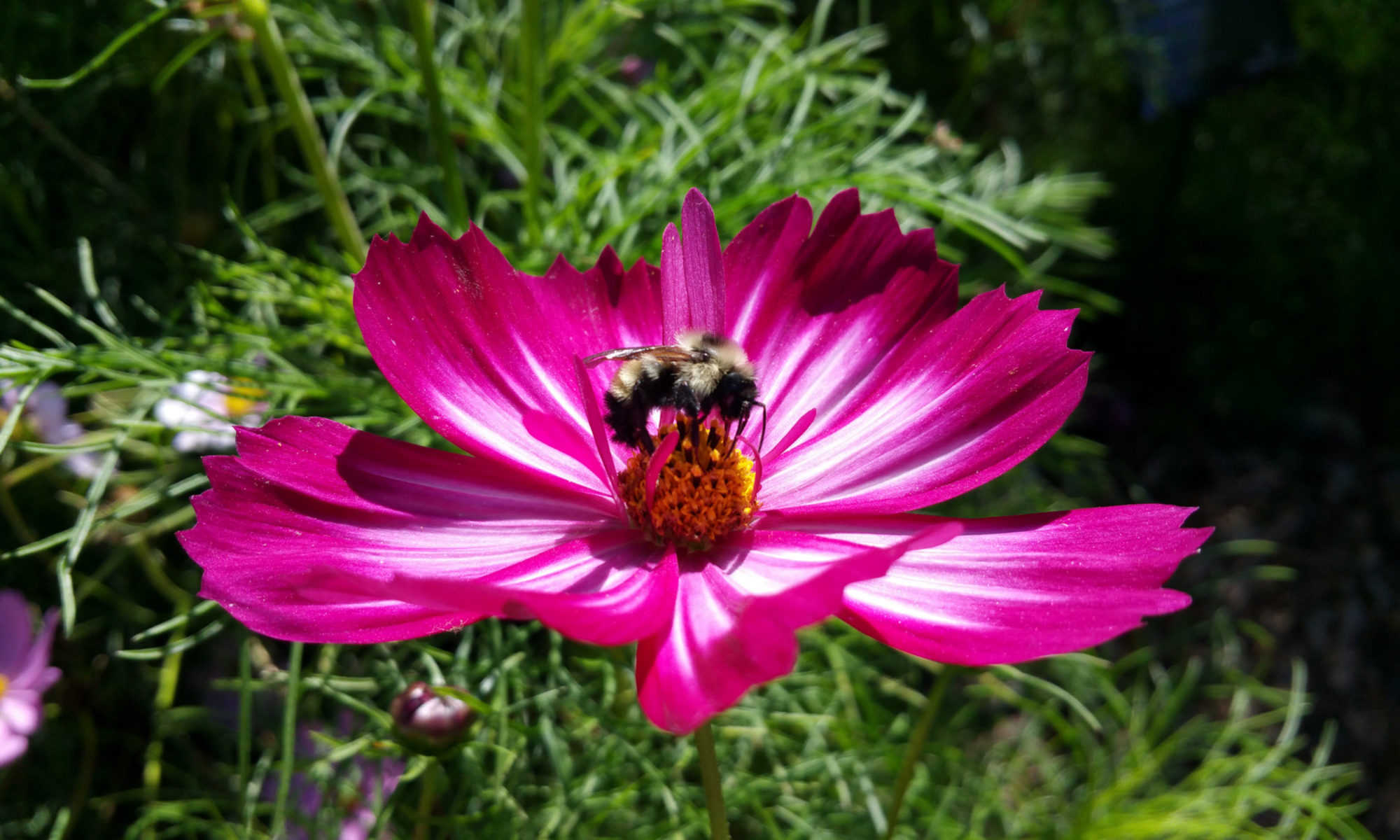
After a several-year battle with lung cancer, my mom (Barbara L. Anderson) passed away in her sleep at her home last night. She loved gardens and flowers. So after I got my kiddos out the door to school this morning, I went to Lakeland’s Hollis Gardens, took a long walk and snapped these photos. I am confident Mom would love all of them — except maybe for the one with the dragonfly on it
Thank you, Mom, for inspiring in me a love of flowers . . . and cooking. (I just made her famous Chicken Cacciatore for my family for dinner tonight.)
We’ve now into Week Two of our Summer 2010 online courses at Georgia Southern University. On a daily basis, I am receiving e-mails from students saying they’re confused about what to do and when. I know that taking online classes is new for most of you. So here are some tips that should help clarify things:
- Read all e-mails I send to you at your georgiasouthern.edu account. (Check your e-mail at least once a day.)
- If you are having problems with GeorgiaVIEW or Wimba Live Classroom, first try using a different browser. Then try a different computer. If you still have problems, please use the available tech support (GeorgiaVIEW or Wimba) to help you solve the problems. Sometimes I can answer tech support-type questions, but often I cannot.
- Read the 10 FAQs About My Online Classes at GSU that I originally posted prior to our first week of class.
- Attend the “live” sessions I host, when you can, in the Wimba Live Classroom on GeorgiaVIEW. I know some of you have classes or full-time jobs that don’t allow you much flexibility in your schedule. For that reason, I have recorded ALL of the live sessions I’ve held. However, when I look in the Tracking, I see that just a small handful of students have accessed the archives. There is information I share “live” in those sessions that you may not find elsewhere. It’s in your best interest to attend / watch / listen. (Just like if you miss class for a traditional brick & mortar class you wouldn’t expect the professor to rehash everything for you individually, you should not expect it for an online class.) If you ask me a question via e-mail that I addressed in a live session, I’ll probably refer you to the live session archives to find the answer.
- When I schedule a “live” online class, I always send out a meeting notice via Google Calendar. Either accept or decline the notice so I can know how many to expect. (This also lets me know that you received the notice.)
- Buddy up with another person in your class. Keep in touch with him/her every few days. Rely on each other to work through issues/questions before e-mailing me. You can see the Roster for your class in GeorgiaVIEW.
- Check GeorgiaVIEW for the “regular” (as in non-blog) assignments & assessments. Many times, the brief description of the assignment in GeorgiaVIEW will have a link to the complete description here on my blog.
- To know what is expected in your blog, read the Blogging Guidelines for your specific class.
- Finally, if you’re overwhelmed by the amount of information available at my blog (some of which may not apply to your specific class), look on the right sidebar of my blog. You’ll see a widget titled “GSU Class Links.” Click on the Category that describes your class, and up will pop ONLY the blog posts that apply to your class.
- Category of PRCA 2330 – Intro to PR
- Category of PRCA 3330 – PR Writing
The main reason I have everything here in one blog is that I have many students who are in multiple classes with me. It makes sense to centralize the information so no one needs to remember where to go to find their information. As long as you remember to click on the Category of your class, you should find my blog easy to navigate. And who knows, you may even learn something be reading about what is going on in other classes.
If you are one of my summer PR students, please reply to this blog post with a comment so that I know that you’ve read it. Thanks!
As of 10:45 a.m. on May 27, this is the listing of student blogs in my summer 2010 PRCA 3330 (Public Relations Writing) class. If you are a student in this class and your name does not appear on the list, please be sure complete this Google Form.
- Alderman, Rachel
- Amerson, Tabatha
- Bostick, Kaila
- Crowley, Maggie
- DeCoste, Alicia
- Edwards, Charlie
- Floyd, Evan
- Jordan, Olivia
- McConnell, Abby
- Norman, Alecia
- O’Sullivan, Lauren
- Quinn, Ashley
- Rich, Ashley
- Robinson, Hillary
- Smith, Amy
- Stewart, Jasmine
- Storm, Ashley
- Williams, Kevin
- Woodard, Ansley
As of 11 a.m. on May 27, this is the listing of student blogs in my summer 2010 PRCA 2330 (Introduction to Public Relations) class. If you are a student in this class and your name does not appear on the list, please be sure complete this Google Form.
- Arcalas, Nikki
- Aronson, Allie
- Baldwin, Natlye
- Corley, Casey
- Davis, Kourtni
- Dennis, Jessica
- Everett, Shenia
- Green, Amy
- Jenkins, Christen
- Keesee, Ryan
- Laurin, Amber
- Light, Cassandra
- Maghee, Jackson
- Mizell, Marley
- Morris, Melissa
- Okoro, Novella
- Patrick, Briana
- Pittman, Samone
- Redden, Sarah (Katie)
- Sherwin, Casey
- Shockley, Samantha
- Silfies, Linda
- Simmons, Jaclyn
- Turner, Brooks
- Turner, Kison
- Wagenbrenner, Brianna
- White, Ashley
For students in my classes, the tips in this presentation should help get started using WordPress for blogging.
From time to time throughout the semester, I will host “live” sessions in Wimba Live Classroon in GeorgiaVIEW. Attend the “live” sessions I host, when you can, in the Wimba Live Classroom. When you attend live, you have the opportunity to ask questions for immediate clarification.
I know some of you have classes or full-time jobs that don’t allow you much flexibility in your schedule. For that reason, I have recorded ALL of the live sessions I’ve held. However, when I look in the Tracking, I see that just a small handful of students have accessed the archives. Not listening to the archives is the equivalent of missing class.
Here’s how to access the archives.
There is information I share “live” in those sessions that you may not find elsewhere. It’s in your best interest to attend / watch / listen. (Just like if you miss class for a traditional brick & mortar class you wouldn’t expect the professor to rehash everything for you individually, you should not expect it for an online class.) If you ask me a question via e-mail that I addressed in a live session, I’ll probably refer you to the live session archives to find the answer.


For my Summer 2010 PRCA 2330 and PRCA 3330 Students:
If I was paid a dollar this semester for every time I heard/read a student say this last semester, I’d be rich. Well, at least I’d have enough for daily Starbucks.
It’s so confusing having an online class! I can’t ever remember when things are due…
Here’s my suggestion.
Create a Google Calendar for yourself. (Here’s how.) Your Google Calendar is available from any computer, and it can automatically synchronize with many popular smart phones (like the iPhone, BlackBerry or Palm Pre) — which means that you’ll have the ability to know when things are due no matter where you are, 24/7.
For my classes, look in GeorgiaVIEW for deadlines for:
- Assessments (quizzes, Readiness Assessment Tests AKA RATS, etc.)
- Assignments
Look here on my blog for blogging guidelines and descriptions of when your blog posts are due. These vary by class. And remember to include your TOWs (Topics of the Week) for those classes that include them as part of the assignment; TOWs are due Saturdays at noon.
Create a calendar entry in your Google Calendar for each item that is due. Set interim deadlines for yourself for larger projects. You can tell Google Calendar to send you a reminder about any deadline you choose.
And that’s all there is to it. At least, except for the “completing the assignments” part.
Hope you found this helpful.
(NOTE: If you have another calendar method you prefer, and it already works well for you, USE IT. No need to switch. But if you’re having trouble staying on top of your classes, try this method. It’s how I keep myself organized.)
For fall semester’s PR Writing courses that I’m teaching for Southeastern University & Georgia Southern University, I am again augmenting my own content and our textbook with several courses offered by Poynter’s NewsU.
Here are the courses we’ll be using:
- Cleaning Your Copy – for Week 3
- The Lead Lab – for Week 7
- The Language of the Image – for Week 10
- Writing for the Ear – for Week 11
- Five Steps to MultiMedia Storytelling – for Week 13
When you have finished with each course, be sure to send me your Course Report. The short screencast below shows you now. Have the report come to my university e-mail address. (NOTE: This screencast was recorded earlier this year, so some of the dates are old, though the process remains the same.)
For some courses, you’ll blog about what you learned as a Topic of the Week. For the ones that are not required as TOWs, you can choose to have them be PR Connections, if you wish.
[NOTE: Complete the NewsU quiz for the course & submit your Course Report by Saturday noon during the week it's assigned.]
Questions?