Photo and Caption Assignment :: #PRCA3330 and #COMM4333

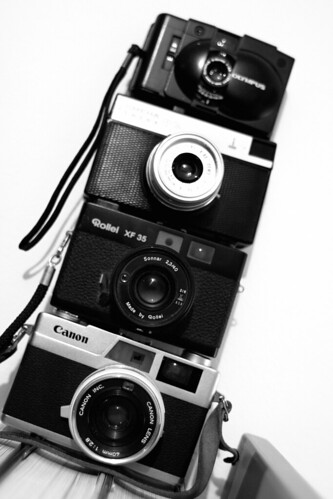
toy camera tower by .m for matthijs.Public relations practitioners are called upon to take photos on occasion for their clients. For this assignment, you will take a photo and write a caption, with the intent that the photo and caption could stand alone and be published without an accompanying news release / article.

Using the rules of great photography you learned in your textbook and in the Language of the Image course you took at NewsU, take one photo of someone or something that is newsworthy and would benefit your client. (If you cannot come up with a photo idea for your client or if your client is too far from where you are living now, then take a photo that would benefit the Communication department.)

Then write a caption to accompany the photo using the four-part process described by Lori Oglesbee in the Journalism Education Today articled titled Captions, and add a photo credit. Your caption will contain the following elements:

  1. Headline
  2. Identification Sentence
  3. Secondary Information Sentence
  4. Quote
  5. Photo Credit

To submit this assignment, use one Word document. Put your name and course number at the top. Paste your photo into the Word doc; size it so it’s five inches wide (and whatever height it needs to be to be proportional). Write your caption, including photo credit, beneath the photo. Turn the assignment in using the usual method for our class.

NOTE: I do NOT need the original, high-resolution photo for this assignment.

To see how this assignment will be assessed, see: Rubric: Photo with Caption Evaluation

Notes from #Listen10

As a past president and  life member for the International Listening Association, I would like to share my notes with you from this year’s convention, held in Albuquerque. The sessions are typically small, intimate and interactive . . . and I am the ONLY one I know of who is using Twitter to provide notes and commentary. As such, it’s really awkward (and potentially rude looking) for me to be typing & tweeting while sessions are going on. So, I decided to use a running Cover It Live session to capture my thoughts AFTER each session is complete. If I see others also using Twitter, I’ll invite them to join me.

Social Media Paper :: PRCA 3030

Writing words.. by _StaR_DusT_.Due: April 14 by 11:59pm in GeorgiaVIEW

Worth: 150 points

For those students in Social Media for PR who choose not to complete a “Viral” Video as part of a team, there is another option. You can write a short paper on an aspect of social media in public relations. Topics for your paper could include virtually anything we’ve read about as part of our course; look through A Survival Guide to Social Media and Web 2.0 Optimization: Strategies, Tactics, and Tools for Succeeding in the Social Web or Groundswell: Winning in a world transformed by social technologies for ideas. Consider what’s most interesting to you or what you are most passionate about. Even consider what’s most confusing about social media. You could write a case study or a literature review, if you wish, as your paper.

Please let me know how you plan to complete this assignment (video or paper) by March 29 by using this Google Form. And e-mail me with your potential topic when you have determined what you might like to write about.

Tweetin’ in the Classroom

At the annual convention of the International Listening Association, Chris Bond and I will be presenting a session titled “Twitter as a Tool to Transform Listening and Speaking within the Classroom and Conference Contexts.” Chris’ focus will be on conferences, and as I have used Twitter in my public relations (and first-year experience) classes for nearly two years, I will focus on the classroom.

Here’s a sneak peek at my presentation, where I share how using Twitter in the classroom can be both an advantage (w00t) and a disadvantage (meh). If technology is working as it should, I will create an audio recording of my part of our session on Friday morning and sync it to the Prezi below.

What additional tips would YOU recommend?


(PS — When I attended the National Communication Association convention last fall, there was a bit of a kerfuffle about Twitter usage during conference sessions.)

Social Media Resume Assignment :: PRCA 3030

Due: April 28 by 11:59pm in GeorgiaVIEW

Worth: 200 points

Social Media Resume Assignment

One of the ways college grads are helping to market themselves is through creating a social media resume. Dan Schwabel shares some excellent advice on social media resumes in a blog post at Mashable.

Using a free online site like WixWeeblyVisualCV, Google Sites or a new WordPress blog, create a social media resume for yourself.

At a minimum, include/embed the following:

  • At least two SlideShare or Prezi presentations you have created (one can be the Trade Book Review you did for this class)
  • One podcast (it can be the one you did for this class)
  • Three work samples (such as PDFs of news releases, brochures, newsletters, ads, etc.) — NOTE: If you have no client work yet, then substitute in at least two items from the Optional list below
  • A hyperlink to your blog
  • Hyperlinks to at least three of your favorite blog posts that you have written (to highlight your writing skills in digital media)
  • A PDF of your traditional resume
  • A hyperlink to your LinkedIn profile

Optional items to enhance your social media resume include:

  • A selection of  photos you have taken, to show your photography skills
  • Links to client work you have produced
  • Links to the social bookmarks you have created
  • Links to Facebook fan pages or groups that you have created and maintain
  • A Wordle of key words that describe you
  • The “Viral” Video you created for this class (if you chose to do one), or another video you have created
  • A social media monitoring report that you have created (to show your social media research skills)
  • A short video in which you introduce yourself to potential employers
  • A link to your Twitter stream (but only if it’s 100% appropriate for a potential employer to view)

NOTE: If you are in my PR Practicum class this semester, this assignment can also serve as your Portfolio.

Here’s a short video that explains this assignment further. NOTE: There may be minor changes/clarifications to this assignment here in this blog post that were not addressed fully in the video.

View on screencast.com »

Communication for PR Practitioners

In this week’s Public Relations Applications class, we are discussing communication for PR practitioners. Here are the slides I will use:

Public Relations Program Planning :: FAQs

In my Public Relations Applications class, we’re discussing public relations program planning this week. Here are the slides I used:

Public Relations Program Planning

To see some of the notes I used for the presentation, visit SlideShare and download the presentation.

Writing a Personality Profile

For my PRCA 3330 and COMM 4333 classes:

Want to show your publics the human side of your organization?

Write a personality profile.

For this assignment, write a personality profile about someone associated with your client’s organization. It could be about a leader in the organization, a member or maybe even a client. However, it must be about a real person (though not about you).

Chapter 7 in your Public Relations Writing & Media Techniques textbook provides a good overview of a personality profile on pages 173-174. Additionally, see pages 175-179 for more information on writing a feature story in general.

Keep these things in mind:

  • Use letterhead from your client for the personality profile (just like you would for a news release)
  • Include pertinent contact information (just like you would for a news release)
  • Write a catchy headline (just like you would for a news release)
  • Be creative, not mechanical, with your lead (see p. 177 for suggestions)
  • Use AP style and standard English grammar (though you can get away with occasional phrases, rather than complete sentences, for dramatic effect)
  • Your personality profile will be much longer than most news releases. Aim for a story between 750-1000 words.
  • Since you also have an assignment of a photo with caption due when this personality profile is due, why not take a photo of the subject of your personality profile when you are interviewing him or her?
  • Consider posting your personality profile on your blog (not required), after you get your graded assignment back

Check your syllabus for the due date for this assignment.

(NOTE: It’s a good idea to read 8-10 personality profiles from your favorite newspapers and magazines before you write your first one.)

Creating a Media Advisory

For my PRCA 3330 and COMM 4333 classes:

As a public relations writer, one of the collateral pieces you are likely to be writing is a media advisory. A media advisory (or media alert) is designed to encourage a reporter to come and cover an event.

Chapter 6 in your Public Relations Writing & Media Techniques textbook provides a good overview of the contents of a media advisory. See pages 144-146 for details.

That said, with your client in mind, create a media advisory for an upcoming event. Though it’s ideal if this is for a real event, if your client does not have one planned in the near future, you can use your creativity to write about an imaginary event.

When structuring your media advisory, make it as simple as possible for the reporter to find the details. Keep these things in mind:

  • Use letterhead from your client for the media advisory (just like you would for a news release)
  • Include pertinent contact information (just like you would for a news release)
  • Write a catchy headline (just like you would for a news release)
  • Provide a brief opening paragraph with your story idea
  • Create headings including the 5 W’s:
    • Who
    • What
    • Where
    • When
    • Why (Tip: this one is perhaps the most important. This is where you will use your persuasive writing abilities to convince the reporter that the story is newsworthy.)

Check your syllabus for the due date for this assignment.

(NOTE: You can see many, many sample media advisories online by Googling “media advisory sample” or “media alert sample.” I cannot vouch for the content of all of them, but it would be good for you to see them to get a feel for how they look and read.)

FAQs About Blogs, Spring 2010

We’re now about halfway through Spring 2010, and I see some students are still struggling with their blogs.

I promise that this blog assignment was not designed as 21st century version of a medieval torture device for you. Writing (and blogging) is a daily part of a PR practitioner’s life; I am helping you prepare for your careers. And the more you write, the better writer you will become.

Here are some of the frequently asked questions.

How was I supposed to know what to put in my blog? I feel so far behind.

Early in the semester, you were given your blogging guidelines for your class. All the information has been in there for nearly two months now.

Can I work ahead on my Topic of the Week?

I typically share the Topic of the Week for your class on Monday or Tuesday of the week it’s due.

If I am in more than one class with you, can I just do Topic of the Week for one of the classes and have it count for both?

No. The topics are different in each class.

If we didn’t have a reading assignment for a week or two, what should I do for Reading Notes for that week?

If you didn’t have an assignment, you don’t need to create notes.

How long do my Reading Notes have to be? I am spending hours outlining the chapters.

See the blogging guidelines.

How do I know which week we are in? You don’t have specific dates listed on your blog.

See your syllabus. Week One was our first week of class.

Where can I get ideas for my PR Connections?

Read PR blogs. Or subscribe to Ragan’s PR Daily. Or listen to a PR podcast.

What can I do to get more comments on my blog?

Buddy up with students in your class (or one of my other classes), and commit to commenting on each others’ blogs. If you’d like a “blog pal” from another university, let me know, and I can connect you.

Where can I find pictures to add to my blog (without getting into trouble)?

Go to Compfight, then choose “Only” next to Creative Commons. When you search for images that way, only ones that are okay to use will come up.

I’m still confused about how to track my blog comments. Can you go over that one more time?

See Tracking Your Blog Comments for Nixon’s Classes, originally posted on January 13.  See Lisa McLaughlin’s blog for a great example of what I am looking for.

How do I make my picture/avatar show up when I leave comments on others’ blogs?

Create a Gravatar.