Faculty Workload Planning: Mapping Your Grading Before the Semester Begins

Every semester, I know there will be busy grading weeks. What I don’t always know ahead of time is exactly when those weeks will hit. This fall, I decided to map out my grading workload before classes even began. I printed the Modules pages from Canvas for my courses, gave them to ChatGPT and asked it to help me identify which weeks would be light, moderate or heavy for grading. The result was a simple grading calendar that shows not when assignments are due, but when I’ll actually be grading them. It turned out to be a surprisingly useful way to see the semester at a glance.
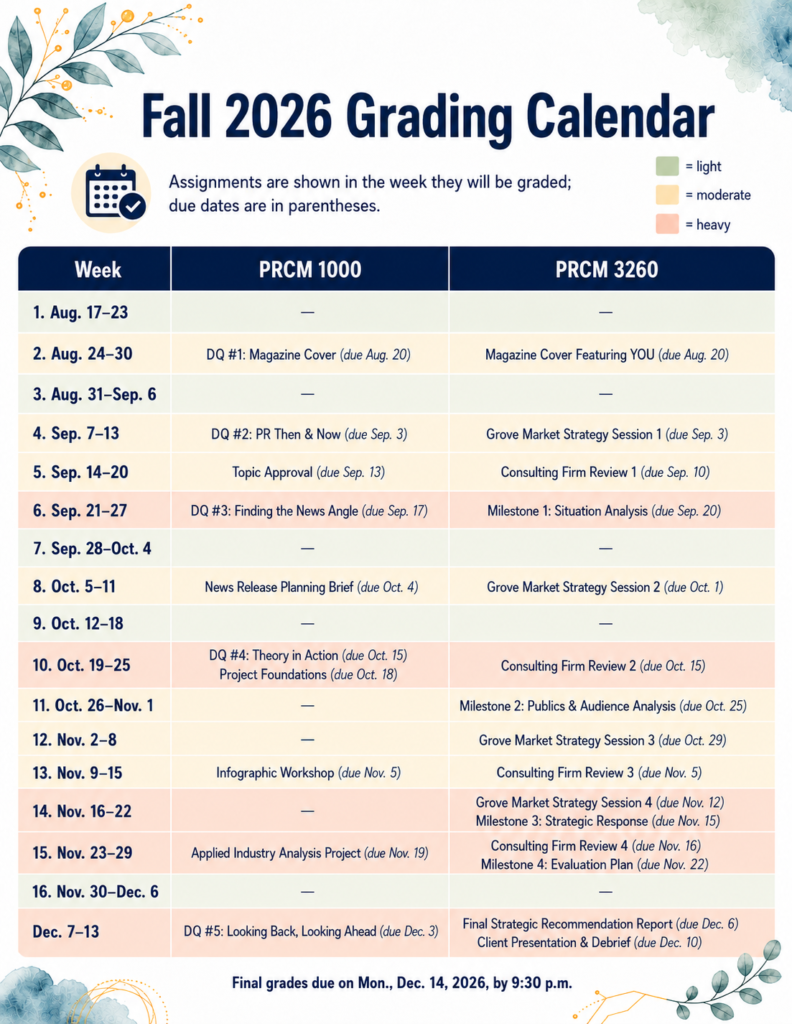
Fall 2026 Grading Calendar Example
My Fall 2026 grading calendar. Assignments appear in the week I expect to grade them, with the original due dates in parentheses.

Ask AI to Help

Here’s what you can add to your favorite GenAI. Adapt it as needed for your courses.

I want you to create a semester grading calendar for my courses.

I will provide the Canvas Modules pages, which I printed as PDFs because they include the assignments, due dates and the weeks/modules where everything appears.

Please:

  • Identify all assignments that require manual grading.
  • Ignore anything titled Quiz or anything else that is automatically graded in Canvas.
  • Assume that assignments will generally be graded the week after they are due.
  • Place each assignment in the week when I will actually grade it, but keep the original due date in parentheses.
  • Include week numbers in the Week column.
  • Create one column for each course.
  • If I provide enrollment numbers, use them when judging the grading workload.
  • Rate each grading week as light, moderate or heavy, considering both the number of submissions and how substantial the assignments are.

Before creating the graphic, show me the grading calendar in table form so I can verify that the assignments are in the correct grading weeks.

After I approve the table, create a clean infographic-style calendar that:

  • Prints nicely on 8.5 x 11 paper
  • Uses Montserrat or a similar clean sans-serif font
  • Uses sage green for light, soft gold for moderate and soft coral for heavy
  • Colors the entire row according to the actual grading workload for that week
  • Includes a small workload legend
  • Includes this note near the top:
    Assignments are shown in the week they will be graded; due dates are in parentheses.
  • Includes any final grade deadline I provide at the bottom

Keep the design clean, professional and easy to scan.
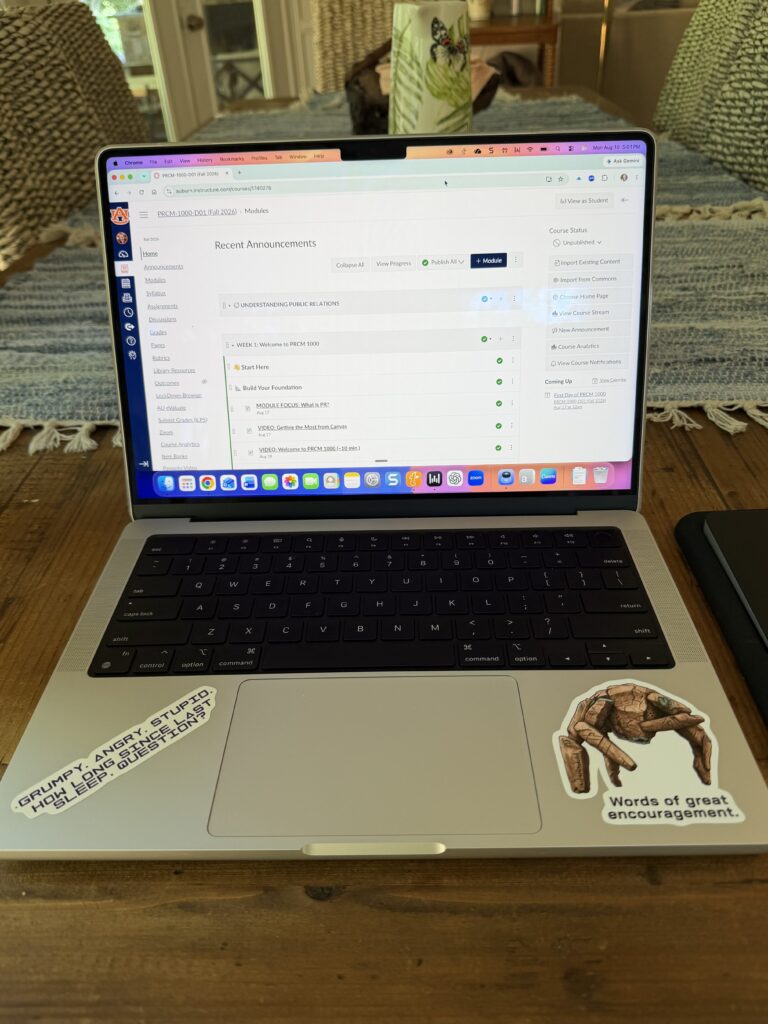
Project Hail Mary Wisdom for Starting a New Semester

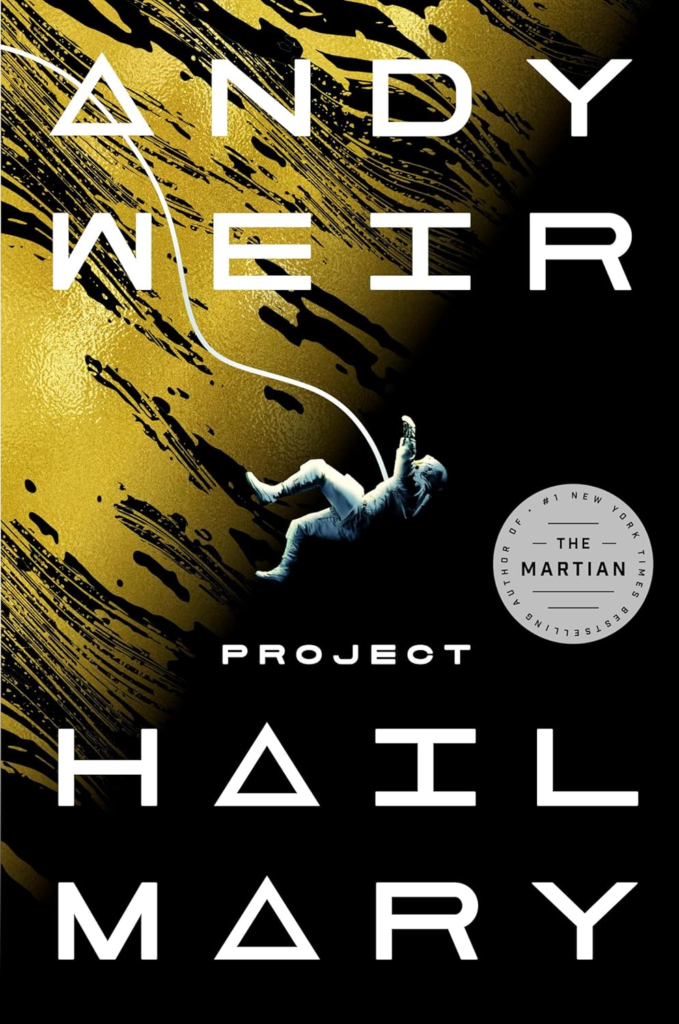
If you’ve seen Project Hail Mary — or read Andy Weir’s novel — you already know that Ryland Grace begins with a rather significant problem:

He has absolutely no idea what is going on.

That may be a slight exaggeration of how the first week of a college semester feels, but perhaps not by much.

Suddenly you have several courses, several professors, multiple Canvas sites, assignments with unfamiliar names, due dates scattered across different weeks and perhaps a textbook or two that you haven’t even opened yet.

And somewhere in all of that, you’re supposed to figure out what you’re doing.

The good news is that you don’t have to figure out the entire semester during the first week.

That may be one of the best lessons Project Hail Mary has to offer.

Start with what you know

Grace doesn’t begin by solving the enormous problem in front of him. He couldn’t.

He starts by figuring out what he does know.

That’s not a bad strategy for a new semester.

Start with your syllabi. Look at your course calendars. Find the major assignments. Figure out which days of the week things are normally due. Check whether your professors use announcements, email or both.

Then put those things somewhere other than your memory.

I’m a big fan of Google Calendar, but I don’t particularly care what system you use. What matters is that you have one place where you can see what is coming.

You do not want to discover at 10:43 Sunday night that three things are due at 11:59.

Solve the problem in front of you

A semester can look overwhelming if you view all 15 or 16 weeks at once.

So don’t.

Certainly, you should know when your big projects and exams are coming. But once you’ve recorded those dates, bring your attention back to what you need to accomplish this week.

What needs to be read?

What needs to be watched?

What needs to be submitted?

What could you start early so Future You will be grateful?

You don’t have to complete October’s work in August. You just need to keep moving.

Pay attention when something doesn’t make sense

One of the things I like about Project Hail Mary is that problems aren’t solved by pretending they aren’t problems.

Something unexpected happens. An assumption turns out to be wrong. New information appears.

And then the plan changes.

College works that way, too.

Maybe you don’t understand an assignment. Maybe a reading takes you much longer than you expected. Maybe the study strategy that worked beautifully in high school doesn’t work particularly well in college.

Pay attention to those signals.

Then adjust.

Ask your professor a question. Visit office hours. Talk with a classmate. Try a different way of taking notes. Start the next assignment earlier.

Struggling with something is useful information — but only if you do something with the information.

You are not supposed to do everything alone

I won’t venture too far into Project Hail Mary here because I don’t want to spoil it for anyone who hasn’t seen the movie or read the book.

But I will say this:

Some problems become much more manageable when you stop trying to solve them entirely by yourself.

That applies to college, too.

Your professors are resources. Your classmates are resources. Librarians, academic support services, tutors, advisors and all sorts of other people on your campus are there for a reason.

Using those resources isn’t a sign that you aren’t capable of doing the work.

It’s part of learning how to do the work.

Keep doing the next reasonable thing

You will probably have a week this semester when everything seems to hit at once.

You may have a disappointing grade.

You may get behind.

You may stare at an assignment and have absolutely no idea how to begin it.

When that happens, resist the temptation to focus on everything that has gone wrong or everything you still have left to do.

Ask yourself:

What is the next reasonable thing I can do?

Open the assignment.

Read the directions.

Send the email.

Write the first paragraph.

Study for 20 minutes.

Put tomorrow’s deadlines on your calendar.

Then do the next thing after that.

You don’t need to have the entire semester figured out today.

You just need to know enough to begin.

And, fortunately, your semester probably does not involve saving the planet.

So you’ve already got that going for you.

A question for you:

What advice do you have for others about getting started at the beginning of a new semester?

Signature Block: I'm listening, Barbara

Grumpy. Angry. Stressed. The End of the Semester Explained by Project Hail Mary

Every semester ends the same way: everything, all at once.

You’ve got final papers, presentations and exams stacked close together. Deadlines that felt far away are suddenly right in front of you. And even if you’ve been keeping up, this stretch can feel like a lot. A whole lot.

From where I sit as a professor, I see how hard you’re working right now. I also know this part of the semester asks more from you than almost any other.

This semester, I kept coming back to Project Hail Mary by Andy Weir. Not because your finals week looks like a space mission, but because the story understands what it feels like to carry a lot of responsibility under pressure.


“I am scary space monster. You are leaky space blob.”

At first, Grace and Rocky don’t understand each other at all.

Different language. Different background. No shared system.

But they figure it out because they have to. They talk, test ideas and slowly build understanding together.

You’re not meant to figure everything out on your own either.

When you’re stuck on something—an idea, a concept, a problem—it can feel like you just need more time alone with it. But a lot of the time, what actually helps is saying it out loud. Talking through it with someone else. Hearing how someone else is approaching it.

Grace captures that feeling of uncertainty at one point:
“I don’t know what I’m doing. I just know I have to do something.”

That’s closer to real learning than having everything neatly figured out.

What to keep in mind:
If you’re stuck, bring someone else into it. You’ll often move forward faster than you expect.


“You sleep. I watch.”

At some point, you might start trading sleep for more time.

It makes sense. There’s a lot to do, and it can feel like the only way to keep up is to stay up longer.

But you’ve probably noticed what happens after a certain point. You read the same thing twice. You make small mistakes you normally wouldn’t. You feel less focused, even though you’re putting in more time.

That’s not about effort. It’s about limits.

Even Grace—who is literally trying to save humanity—has to stop and rest because pushing through stops working.

What to keep in mind:
You’ll get more out of your work if you’re rested enough to think clearly.


“You solve one problem, then the next, then the next”

This part of the semester doesn’t slow down.

You finish one assignment, and the next one is already waiting. It can feel like there’s no real break until everything is done.

In the novel, Grace puts it simply at one point:
“You solve one problem, and then the next one, and then the next.”

That’s the rhythm you’re in right now.

You don’t need to have everything figured out at once. You just need to keep moving through what’s in front of you.

What to keep in mind:
Focus on the next task. Finish it. Then move on.


Final Thought

Near the end of Project Hail Mary, Rocky looks at Grace and says:

“Grumpy. Angry. Stupid. How long since last sleep, question?”

There’s a good chance that line feels familiar right now.

If you’re tired, frustrated, or not quite as sharp as you want to be, that doesn’t mean you’ve lost your ability. It usually means you’re in the hardest part of the semester.

From where I sit, I don’t expect you to be perfect right now.

I see you showing up. I see you working through it. I see you trying to finish strong even when it’s not easy.

That’s what matters.

You don’t need to have everything under control.

You just need to keep going. You’ve got this.

A question for you

If you’ve seen the movie or read the book, are there any other things that come to mind that connect the end of your semester to Project Hail Mary? I’d love to hear your thoughts.

Signature Block: I'm listening, Barbara

Author’s note: This post began as a draft created with the help of ChatGPT and was revised, edited and customized by me for accuracy, clarity and relevance to my students. I use generative AI as a starting point for ideas, not a substitute for teaching expertise or judgment.

Why Watching and Reading Isn’t Enough: The Case for Taking Notes by Hand in Online Courses

If you have ever finished watching a lecture video or reading a chapter and thought, “Yep, I’ve got this,” only to blank during a quiz later, you are not alone. This is especially common for first- and second-year students who are new to online asynchronous courses. Without scheduled class meetings or live discussions, it is easy to assume that exposure equals learning. NARRATOR’S VOICE: “It doesn’t.

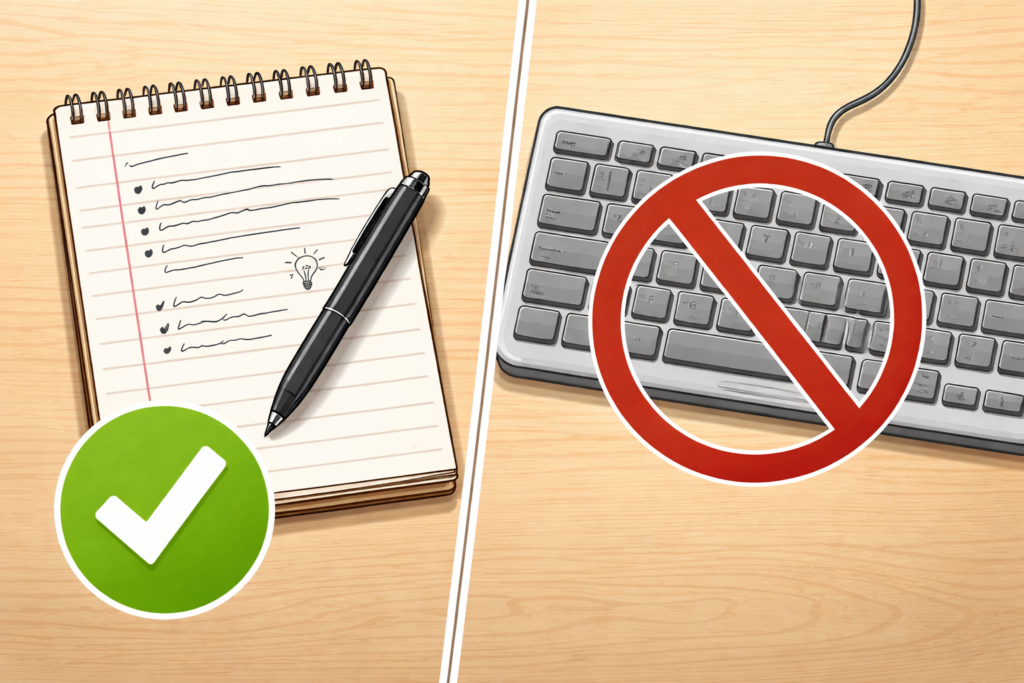
But reading something once or watching a video straight through does not mean it has stuck. Learning requires effort, and one of the most effective ways to create that effort is taking notes by hand. Yes, by hand . . . like with a pen or pencil, NOT a keyboard.

The Illusion of Learning in Online Courses

Online asynchronous courses create a unique challenge. You can pause videos, replay lectures and scroll back through readings whenever you want. That flexibility is helpful, but it also creates a false sense of confidence. When information feels familiar, your brain interprets that familiarity as understanding.

This is known as the illusion of learning. When you read or watch passively, your brain is recognizing content, not necessarily remembering or understanding it well enough to use later. Recognition is much easier than recall, and most exams, assignments and discussions require recall.

Handwritten note-taking interrupts that illusion. It forces you to slow down, decide what matters and put ideas into your own words.

Why Writing by Hand Helps You Remember More

Research consistently shows that writing notes by hand leads to better understanding and longer-lasting memory than typing or simply rewatching content. When you write by hand, you cannot capture everything word for word. That limitation is actually a strength.

Handwriting encourages:

  • Active processing: You must listen or read, decide what is important and summarize it.
  • Deeper encoding: Translating information into your own words helps move it into long-term memory.
  • Stronger recall: The physical act of writing engages multiple areas of the brain tied to learning.

Typing, by contrast, often becomes transcription. You can keep up with the speaker without thinking deeply about what is being said. Watching without note-taking is even more passive.

For students in asynchronous courses, where there is no immediate instructor feedback or peer discussion, handwriting becomes an especially powerful way to replace some of that missing interaction.

Notes Are Not a Transcript

One reason students avoid handwritten notes is the belief that notes must be complete or perfect. They do not.

Effective notes are not a copy of the lecture or reading. They are a record of your thinking about the material. That means incomplete sentences, arrows, questions in the margins and diagrams are not signs of poor notes. They are signs of active learning.

Instead of trying to write everything down, focus on:

  • Key concepts or terms that appear repeatedly
  • Examples that clarify difficult ideas
  • Questions you still have after watching or reading
  • Connections to earlier material or real-life situations

Practical Note-Taking Strategies for Asynchronous Courses

If you are new to online learning, the structure is often the hardest part. These strategies are designed specifically for asynchronous courses.

1. Pause the Video on Purpose

Do not watch lecture videos straight through. Pause every few minutes and write down:

  • One main idea
  • One detail that supports it
  • One question you still have

This prevents passive watching and keeps your brain engaged.

2. Use the Cornell Method (Lightly)

Try this. Divide your page into three sections:

  • Main notes: During the video or reading
  • Questions or keywords: Added afterward
  • Summary: Two or three sentences at the bottom explaining what you learned

You do not need to follow this perfectly. The structure simply helps organize your thinking.

3. Handwrite First, Then Type if Needed

If you need digital notes for accessibility or organization, start by handwriting. Later, type a short summary from your handwritten notes. That second pass strengthens memory and highlights gaps in understanding.

4. Write Before You Rewatch

If something feels confusing, write down what you do understand before rewatching the video. This makes the second viewing more focused and efficient.

5. Keep One Notebook Per Course

Mixing courses in one notebook increases cognitive load. Keeping one notebook per class helps your brain create clear mental categories, which improves recall.

Handwritten Notes Help with Studying, Too

Another advantage of handwritten notes is how useful they are later. Reviewing notes you wrote in your own words is far more effective than rereading the textbook or rewatching videos.

Before quizzes or exams, try this:

  • Cover your notes and write out what you remember
  • Check your notes to see what you missed
  • Rewrite only the unclear sections

This kind of retrieval practice is far more effective than passive review.

A Final Reminder for Online Students

Online asynchronous courses reward independence. That freedom can be empowering, but it also requires intentional study habits. Handwriting your notes is one of the simplest changes you can make that has an outsized impact on learning.

You do not need fancy supplies, perfect handwriting or beautifully organized pages. You just need a pen, paper and the willingness to slow down and think.

Watching and reading introduce information. Writing by hand helps you actually learn it.

A Question for You

Do you have any other tips on notetaking, especially for online, asynchronous courses? Please share them in the comments.

Signature Block: I'm listening, Barbara

Author’s note: This post began as a draft created with the help of ChatGPT and was revised, edited and customized by me for accuracy, clarity and relevance to my students. I use generative AI as a starting point for ideas, not a substitute for teaching expertise or judgment.

8 Tips to Help You Succeed When Using ProctorU Record+

Taking a proctored test from the comfort of your own space might sound ideal — until you realize that comfort also comes with a webcam, a mic, and a system that monitors everything from your eye movements to your background noise.

If you’re using ProctorU’s Record+ system (like I have in my online classes at Auburn University), you won’t have a live proctor watching you in real time — but that doesn’t mean the system is relaxed. The test is recorded, reviewed and flags anything unusual for instructors to follow up on.

Here’s how to avoid distractions, red flags and tech trouble so you can focus on what matters: doing your best.


1. Know Your Test Window — and Don’t Wait Until the Last Minute

Unlike live proctoring, Record+ doesn’t require you to schedule a time slot. You can take your test on-demand anytime within the testing window set by your instructor.

But here’s the catch: if your test window closes at 5 p.m., you must finish by 5 p.m. — not just start at 4:59. Start your test with plenty of time to spare in case something goes wrong. A good rule: begin at least one hour before the close time.


2. Choose a Quiet, Private Testing Spot

Record+ still requires a quiet, distraction-free testing environment. No coffee shops, common rooms, or dorm lounges. Choose a space where:

  • No one will enter the room
  • No visual or audio distractions are present
  • Only approved materials are on your desk

You’ll be asked to show a 360° view of your surroundings using your webcam. If anything’s questionable, it’ll be flagged.


3. Let Everyone in Your Home Know You’re Testing

This is critical: no one else can be in the room while you’re testing. Roommates, friends, even a quick “just grabbing my charger” visit — all of it could trigger a flag.

Let people know your test time in advance, and consider posting a “Do Not Disturb: Exam in Progress” sign. Also, keep your phone out of reach (and off), unless your professor has given specific permission.


4. Have Your Photo ID Ready

Before your test begins, the system will prompt you to verify your identity. You’ll need to show a clear, valid photo ID, such as:

  • Driver’s license
  • Passport
  • Government-issued ID
  • School ID (if allowed by your instructor)

Make sure your webcam is steady and your lighting is bright enough to show the name and photo clearly.


5. Avoid Looking Around the Room

Even though a live person isn’t watching you, Record+ still tracks your behavior. Looking off to the side repeatedly, staring at the ceiling, or appearing distracted can be flagged as suspicious.

Try to keep your eyes on your screen or your keyboard. If you naturally look away when thinking, that’s okay — just avoid anything that might appear like you’re checking a second screen or outside help.


6. Run a System Check the Day Before

Don’t assume everything will work. Use the ProctorU system check tool to make sure your:

  • Browser is compatible
  • Webcam and microphone are functional
  • Internet speed is sufficient

Also:

  • Restart your device the day of the test
  • Close unnecessary apps or tabs
  • Use a wired connection or strong Wi-Fi whenever possible

7. Only Use Approved Materials — and Have Them Visible

If your instructor allows a calculator, scratch paper, or open notes, have them ready before you start. The system will record your environment scan, so make sure anything you plan to use is in plain sight and clearly approved.

If you’re not sure what’s allowed, check your syllabus or email your instructor ahead of time. “I didn’t know” isn’t a great excuse after the test ends.


8. Stay Calm and Focused

Testing online can feel weird at first — especially knowing you’re being recorded. But once you get going, it feels a lot like a regular test.

Just stay calm, follow directions, and don’t overthink the monitoring process. Record+ is there to support academic integrity, not to trip you up.


Bottom Line

ProctorU Record+ gives you flexibility — but with that flexibility comes the need for responsibility. A little preparation goes a long way toward avoiding flags, tech issues, or preventable stress.

  • Know your test window
  • Prep your space
  • Start early
  • Keep your cool

What additional advice would you offer?

Signature Block: I'm listening, Barbara

Before You Submit Your Next PR Assignment: A Quick Checklist to Avoid Easy Misses

For my Auburn University PRCM 1000 Students: Here are some common areas where students lost points on the Issue Brief Prep assignment. As you polish your final Issue Brief, pay attention to these areas. Prepare for future assignments with these points in mind. None of these are hard to fix — but they can sneak up on you if you’re rushing or skipping the fine print.

Use this checklist to catch the easy stuff before it costs you points.

Read the Directions and Use the Rubric

  • Always review both the assignment directions and rubric before writing.
  • And when you’re done writing and think you’re ready to submit, evaluate your assignment using the rubric to be sure you haven’t left anything out.

APA Formatting (Don’t Let the Details Trip You Up)

  • Double-space everything — including the reference page.
  • Make sure page numbers appear in the top right corner of every page. (This is called a running head in APA-speak.)
  • Use the same font throughout the document (that includes titles, headers, and page numbers).
  • The title page should follow APA 7th edition format: title, your name, university, course, date.

Reference Page = Clean and Complete

  • Format it using a hanging indent.
  • Alphabetize your sources.
  • Make sure every source listed includes author, publication name, year, and title — not just a URL.
  • Don’t forget to include at least one scholarly source, ideally from a peer-reviewed journal.
  • Always list the authors’ names, if they are available.

In-Text Citations Matter

  • Every source listed on your reference page should appear in the body of your paper.
  • If you mention an article or report, include a parenthetical citation (author, year) or integrate it naturally into your sentence.
  • Double-check that your in-text citations match your reference page.

Get Specific — Especially With These Sections

  • Media framing: Don’t just say “the media is talking about this issue.” Give one or two specific examples. What outlets? What headlines or angles?
  • Key publics: Think beyond “the public” or “consumers.” Who is really impacted? Who needs to act?
  • Ethical concerns PRO TIP: Use PRSA’s Code of Ethics language. If you’re talking about transparency or advocacy, say so directly and explain why it matters here.

Proof It Before You Submit It

  • Skim for punctuation errors — especially commas, apostrophes, and sentence boundaries.
  • Look for consistency: font, spacing, and formatting should be uniform from start to finish.

One Last Thought

You’re doing good work. Most of these issues are small details, but they matter when you’re putting together a professional document. Taking the time to get them right now will serve you well as you move forward in your PR career — and your grade.

See you next week when we talk about mass communication theory. I’m also looking forward to reading your completed Issue Brief next month.

Signature Block: I'm listening, Barbara

Are We Still Listening? Talking with (Not Just About) Students in the Age of AI

The Robots Are Here. Now What?

Let’s be honest: education looks a lot different than it did even a couple of years ago. Tools like ChatGPT, AI writing assistants, and automated grading systems are popping up in classrooms everywhere—from high schools to graduate seminars. Whether we’re ready or not, artificial intelligence is now part of how we teach, how we give feedback, and how students ask for help.

But here’s the question that’s been gnawing on me: Are we still listening to our students? I mean really listening—not just skimming data dashboards or glancing at AI-generated summaries.

This post isn’t about banning AI or pretending it doesn’t exist (spoiler: it’s not going anywhere). Instead, it’s about exploring how we can stay grounded in human connection—especially as machines start playing a bigger role in our communication with students.


Fast Feedback Isn’t the Same as Feeling Heard

One of AI’s biggest selling points is speed. Feedback that used to take a few days can now happen in seconds. According to a 2024 UNESCO report, automated grading and assessment are the most common uses of AI in education today. Efficient? Yes. But also a little… robotic?

In a recent piece from Central Michigan University, students said AI-generated feedback often felt generic or impersonal. In fact, one of my students once told me (about another faculty member): “It was like my paper was graded by a robot—because it probably was.”

That hit me. I love a good rubric, but I also know that thoughtful, nuanced feedback—especially when it’s written with a student’s voice in mind—can be the spark that helps them grow. If all our comments sound the same, how can students tell we’re paying attention to them?


Office Hours Are Getting Quiet

In an August 2023 article from The Chronicle of Higher Education, one student shared that they’ve basically stopped going to office hours. Why? Because ChatGPT can answer their questions faster.

I get it. We’re all juggling a lot. But that convenience comes with a cost. Office hours aren’t just about explaining course material—they’re about building trust, showing up, and offering a space where students feel seen and supported. When students skip the conversation, they might get an answer, but they miss out on a relationship.


When the Data Gets It Wrong

Let’s talk about classroom dashboards for a minute. They can be helpful—especially for tracking attendance or identifying students who might be falling behind. But they’re not always accurate.

One student told EdSurge that a platform flagged them as disengaged during class. In reality? They were just quiet. Thinking. Processing. Not every student raises their hand or dominates the discussion—and that doesn’t mean they’re not tuned in.

And in an article from Fast Company, students who were falsely accused of using AI said they felt completely ignored during the process. One said, “I was talked at, not listened to.” That stings. When students feel judged without being heard, trust erodes fast—and rebuilding it takes time.


4 Ways to Keep Listening (Even When AI Is in the Room)

So, how do we stay connected in a world where bots are part of the learning experience? I don’t have all the answers, but here are a few strategies that have worked for me—and that might help you, too.

1. Check In After the Bot Checks Out

If you’re using AI to give feedback, try following up with a quick one-on-one. A simple, “How did that feedback feel?” opens the door for reflection—and reminds the student there’s a real person on the other end.

2. Build Listening Into the Routine

Create a “tech-free” time during the week—just a few minutes for students to share how things are going. You’d be amazed what they’ll tell you when the devices are down and the room feels safe.

3. Ask Students to Reflect on the Feedback They Receive

I’ve started giving prompts like, “What did you agree with in your feedback? What surprised you?” It helps students slow down and think critically about the input they’re getting—whether it came from me or a machine.

4. Believe Them First

This one’s big. If a student says, “I didn’t use AI,” and you believe them, say so. In that Fast Company article, students talked about feeling guilty until proven innocent. Our first response matters. Listening doesn’t mean agreeing blindly—it means giving them the dignity of being heard.


Let’s Keep the Conversation Human

I’m not anti-AI. I’ve used ChatGPT to brainstorm ideas and help me organize materials for a course. I’ve seen students light up when an AI tool helps them articulate something they’ve struggled to say. But I also believe that no matter how smart our tools get, they can’t replace the power of a genuine, present, empathetic conversation.

Listening is our superpower. Let’s not let it get automated away.


I’d love to hear your thoughts—how are you navigating the intersection of AI and student communication? Let’s keep the conversation going.

Want more resources or interested in becoming part of a community that cares deeply about listening? Visit the International Listening Association at www.listen.org.

Signature Block: I'm listening, Barbara

Launching August 1: Arrive, Survive & Thrive — Essential Tips for College Success

College students, this one’s for you.

Starting August 1, I’m launching a new video series called Arrive, Survive & Thrive — and it’s all about helping you navigate college life one 60-second tip at a time.

Whether you’re a first-year student trying to find your footing, a high school senior getting ready for the transition, or even a seasoned sophomore or junior looking for smarter strategies, this series is designed for you. (Your parents can even benefit from this series.)

Each video tackles a single topic in less than a minute — from navigating roommate dynamics and making the most of group projects, to setting up your study system and talking to professors with confidence. You’ll find videos that are encouraging, practical, even a little funny — depending on the day.

The goal? To help you feel more prepared, more confident, and less alone in the college experience.

You’ll find the videos on Instagram (and Facebook), TikTok and YouTube Shorts starting August 1 — just in time for back-to-school. Watch them between classes, while waiting for your coffee or anytime you need a quick dose of support and strategy.

So whether you’re arriving for your very first semester, figuring out how to survive the challenges or ready to thrive in new ways — these tips are for you.

Let me know in the comments: What college questions or challenges should I cover in the series?

Let’s do this—together.

Signature Block: I'm listening, Barbara

Why Teaching Online Feels a Little Like Wicked — And What I’ve Learned

This semester, I found myself thinking a lot about Wicked. Maybe it was the new movie trailer. Maybe it’s my lifelong adoration of the Wizard of Oz in all its forms. Maybe it was my love for Elphaba and Glinda’s complicated, imperfect friendship. But the more I reflected on my courses, the more I realized: teaching online — especially synchronously — sometimes feels like sitting alone on a broomstick, defying gravity, hoping someone’s watching, reading and/or listening.

And sometimes… they are. But not always.

“No One Mourns the Wicked” — or Watches the Weekly Video

One of my go-to strategies this semester in my online asynchronous course was embedding Easter Eggs — little bonus point opportunities — in weekly video content. Quite a few students truly engaged with this, more this semester than in previous ones. They watched the videos, earned the points, and even mentioned the surprise in their emails to me. Others? They clicked the video just long enough to make the “viewed” list. Whether it was a matter of time, energy, or priorities, some students just didn’t interact the way I hoped they would.

That gap — between intention and reality — was a theme that kept surfacing.

“Dancing Through Life” vs. Doing the Reading

Some students did every reading, came prepared and participated with thoughtful questions. Others, despite my encouragement, skipped it. And their work reflected that choice. While I try not to teach with a punitive mindset, the truth is that preparedness matters. And I found myself wondering: how do I help students see the value of steady, consistent engagement when so much around them encourages shortcuts and survival, especially in this age of AI?

“What Is This Feeling?” (It’s Frustration)

In one of my classes that I’ve taught for about two years, we used peer editing groups. Not everyone showed up (physically, virtually or emotionally). We used synchronous discussions. Participation was inconsistent. Even when a student presented something they worked hard on, many peers stayed silent. I could sense the awkwardness and disappointment through the screen.

I tried so many tools including Kahoots, chat prompts, breakout rooms. Still, there were moments when it felt like I was Glinda singing to a green-faced Elphaba: “You can still be with the wizard, what you’ve worked and waited for…” and getting nothing back but silence.

And yet.

“For Good” — What Worked

The real turning point for me this semester was something deceptively simple: virtual one-on-ones, using Zoom or Teams. Meeting individually with students, even briefly, transformed our dynamic. After those conversations, I could feel the difference. Students were more likely to ask questions in class, contribute to the chat or email a follow-up. Our interactions had a face, a voice and a shared moment. It reminded me that the magic in online teaching often comes in small, human doses.

What I’m Carrying Forward

This semester taught me that no strategy is a universal fix. But it also reminded me that connection — real, individual, empathetic connection — still matters most. As I look toward the next semester, I’m letting go of the idea that I can (or should) get everyone to engage the same way.

Instead, I’m embracing a more “Elphaba” mindset — focusing on the students who show up, holding space for those who don’t (yet), and remembering that the most powerful lessons aren’t always the ones in the syllabus.

Because in the end, some of my students (for better or worse) have changed me. For good. And I can’t wait to get back into the virtual classroom in the fall.

Signature Block: I'm listening, Barbara

The PR Practitioner’s Guide to Beating Writer’s Block—No AI Required

You’re staring at a blank screen, the deadline is looming and your brain feels frozen.

Writer’s block is frustrating—especially in public relations, where content creation is a huge part of the job. Whether it’s crafting the perfect pitch, drafting a news release or composing an engaging social media post, new PR practitioners and students often struggle to get words flowing.

The good news? Writer’s block isn’t permanent. With the right exercises, tools and mindset shifts, you can break through and create strong, compelling content—without over-relying on AI.

Let’s dive into some proven strategies to get you writing confidently.

1. Ditch Perfectionism and Start With The Ugly First Draft (TUFD)

Many PR newcomers get stuck because they’re trying to write the perfect piece on the first try. PR and marketing expert Ann Handley calls this the “Ugly First Draft (TUFD)”—a liberating concept that encourages you to just get words on the page, no matter how bad they are.

Exercise: The 10-Minute TUFD Sprint

Set a timer for 10 minutes and write non-stop WITH PEN/PENCIL AND PAPER, even if it’s rough. Don’t worry about grammar, structure or making sense—just get thoughts down.

Why it works: TUFD frees you from the pressure of perfection. Refining comes later.

Real-World Example: PR professionals often draft “word vomit” versions of pitches or news releases before polishing them. The key is to get started—even if what you write isn’t client-ready yet.


2. Use a Storytelling Formula

PR is all about storytelling, but when you’re stuck, structuring your thoughts can feel like riding on the struggle bus.

Tool: The PAS Formula

If you’re struggling to frame a news release or pitch, try this simple formula:

  • Problem: Identify the issue or newsworthy angle
  • Agitation: Explain why it matters
  • Solution: Present the product, service, or news as the answer

Example:
Instead of starting a pitch with, “Acme Company launches a new app”, use PAS:

? Boring: “Acme Company is excited to announce the launch of its new app.”
? Engaging: “Busy professionals struggle to find time for healthy meals (Problem). With limited options, they often rely on fast food (Agitation). Acme’s new app delivers fresh, personalized meal plans in minutes (Solution).”

Why it works: This structured approach prevents you from overthinking your introduction.


3. Step Away from the Screen (Yes, Really)

If you’re stuck, staring harder at your screen won’t help. Sometimes, stepping away is the best way to move forward.

Exercise: The 20-Minute Reset

  • Walk around the block (this works best with a dog).
  • Listen to a podcast (but not about PR—give your brain a break).
  • Meal prep your dinner.

Why it works: Your subconscious continues working on the problem while you’re doing something else. Often, ideas will flow naturally when you return.


4. Limit AI Use – It’s a Helper, Not a Crutch

AI tools like ChatGPT can be great for brainstorming but shouldn’t replace your unique voice and strategy. Over-reliance on AI can make your writing sound robotic and generic—both of which are PR red flags.

How to Use AI Wisely

? DO:

  • Use AI for headline variations or brainstorming angles.
  • Run a draft through AI for readability suggestions (but tweak heavily).
  • Ask AI for industry stats or research sources to verify independently.

? DON’T:

  • Copy-paste AI-generated content without editing.
  • Use AI to generate full news releases or pitches—it lacks nuance.
  • Let AI think for you. Clients hire YOU for strategy, not automation. (What will happen when you’re F2F in a meeting with your client if you always rely on AI?)

Pro Tip: Use AI sparingly as a brainstorming tool but always inject your own insights and creativity into your final content.


5. Keep a “Swipe File” for Inspiration

Even experienced PR pros struggle with writer’s block, which is why they keep a swipe file—a collection of inspiring headlines, creative angles and past work to spark ideas.

Tool: Your Personal PR Vault

  • Google Drive/Notion: Store your best PR work, newsworthy angles, and media pitch templates.
  • Screenshots Folder: Save great news releases, headlines, or campaign ideas you admire.
  • Sticky Notes App: Jot down creative ideas whenever they strike.

Why it works: Instead of starting from scratch, you’ll have a bank of ideas to remix and adapt.


6. Talk It Out (Yes, Out Loud)

If writing feels impossible, say your ideas out loud—either to a friend or into a voice memo app.

Exercise: The “ELI5 – Explain It Like I’m 5” Method

  • Record yourself summarizing your news release or pitch as if you were explaining it to a child.
  • Play it back and write down what sounds natural.

Why it works: Talking forces clarity. If your pitch sounds awkward spoken aloud, it probably needs reworking.

Pro Tip: Many PR practitioners dictate ideas into their phones and transcribe them into rough drafts later.


7. Read Like a PR Pro

If you’re stuck, reading good writing will kickstart your brain.

Resources for PR Inspiration

? Books:

? Websites:

  • PR DailyLatest industry insights
  • The SkimmGreat for headline writing inspiration
  • AdAgeTrends in media & brand storytelling

Why it works: Consuming high-quality writing trains your brain to recognize what works and why.


Final Thoughts: Build Your Writing Muscle

Overcoming writer’s block isn’t about waiting for inspiration—it’s about building habits that keep your creativity flowing.

? Quick Recap of Key Strategies:
? Write The Ugly First Draft (TUFD) – don’t aim for perfection.
? Use the PAS formula to structure pitches.
? Take a 20-minute reset when stuck.
? Use AI as a helper, not a replacement.
? Keep a swipe file for inspiration.
? Talk out ideas before writing.
? Read quality PR content regularly.

Next time you’re stuck, try one of these strategies. Writing in PR gets easier with practice—so keep at it!

A Question for You

How do you balance creativity with deadlines in PR writing? Do you have a personal strategy that works for you?

Signature Block: I'm listening, Barbara

NOTES

The framework of this article was inspired by ChatGPT. The image was created by DALL-E.