Why Watching and Reading Isn’t Enough: The Case for Taking Notes by Hand in Online Courses

If you have ever finished watching a lecture video or reading a chapter and thought, “Yep, I’ve got this,” only to blank during a quiz later, you are not alone. This is especially common for first- and second-year students who are new to online asynchronous courses. Without scheduled class meetings or live discussions, it is easy to assume that exposure equals learning. NATTAROR’S VOICE: “It doesn’t.

But reading something once or watching a video straight through does not mean it has stuck. Learning requires effort, and one of the most effective ways to create that effort is taking notes by hand. Yes, by hand . . . like with a pen or pencil, NOT a keyboard.

The Illusion of Learning in Online Courses

Online asynchronous courses create a unique challenge. You can pause videos, replay lectures and scroll back through readings whenever you want. That flexibility is helpful, but it also creates a false sense of confidence. When information feels familiar, your brain interprets that familiarity as understanding.

This is known as the illusion of learning. When you read or watch passively, your brain is recognizing content, not necessarily remembering or understanding it well enough to use later. Recognition is much easier than recall, and most exams, assignments and discussions require recall.

Handwritten note-taking interrupts that illusion. It forces you to slow down, decide what matters and put ideas into your own words.

Why Writing by Hand Helps You Remember More

Research consistently shows that writing notes by hand leads to better understanding and longer-lasting memory than typing or simply rewatching content. When you write by hand, you cannot capture everything word for word. That limitation is actually a strength.

Handwriting encourages:

  • Active processing: You must listen or read, decide what is important and summarize it.
  • Deeper encoding: Translating information into your own words helps move it into long-term memory.
  • Stronger recall: The physical act of writing engages multiple areas of the brain tied to learning.

Typing, by contrast, often becomes transcription. You can keep up with the speaker without thinking deeply about what is being said. Watching without note-taking is even more passive.

For students in asynchronous courses, where there is no immediate instructor feedback or peer discussion, handwriting becomes an especially powerful way to replace some of that missing interaction.

Notes Are Not a Transcript

One reason students avoid handwritten notes is the belief that notes must be complete or perfect. They do not.

Effective notes are not a copy of the lecture or reading. They are a record of your thinking about the material. That means incomplete sentences, arrows, questions in the margins and diagrams are not signs of poor notes. They are signs of active learning.

Instead of trying to write everything down, focus on:

  • Key concepts or terms that appear repeatedly
  • Examples that clarify difficult ideas
  • Questions you still have after watching or reading
  • Connections to earlier material or real-life situations

Practical Note-Taking Strategies for Asynchronous Courses

If you are new to online learning, the structure is often the hardest part. These strategies are designed specifically for asynchronous courses.

1. Pause the Video on Purpose

Do not watch lecture videos straight through. Pause every few minutes and write down:

  • One main idea
  • One detail that supports it
  • One question you still have

This prevents passive watching and keeps your brain engaged.

2. Use the Cornell Method (Lightly)

Try this. Divide your page into three sections:

  • Main notes: During the video or reading
  • Questions or keywords: Added afterward
  • Summary: Two or three sentences at the bottom explaining what you learned

You do not need to follow this perfectly. The structure simply helps organize your thinking.

3. Handwrite First, Then Type if Needed

If you need digital notes for accessibility or organization, start by handwriting. Later, type a short summary from your handwritten notes. That second pass strengthens memory and highlights gaps in understanding.

4. Write Before You Rewatch

If something feels confusing, write down what you do understand before rewatching the video. This makes the second viewing more focused and efficient.

5. Keep One Notebook Per Course

Mixing courses in one notebook increases cognitive load. Keeping one notebook per class helps your brain create clear mental categories, which improves recall.

Handwritten Notes Help with Studying, Too

Another advantage of handwritten notes is how useful they are later. Reviewing notes you wrote in your own words is far more effective than rereading the textbook or rewatching videos.

Before quizzes or exams, try this:

  • Cover your notes and write out what you remember
  • Check your notes to see what you missed
  • Rewrite only the unclear sections

This kind of retrieval practice is far more effective than passive review.

A Final Reminder for Online Students

Online asynchronous courses reward independence. That freedom can be empowering, but it also requires intentional study habits. Handwriting your notes is one of the simplest changes you can make that has an outsized impact on learning.

You do not need fancy supplies, perfect handwriting or beautifully organized pages. You just need a pen, paper and the willingness to slow down and think.

Watching and reading introduce information. Writing by hand helps you actually learn it.

A Question for You

Do you have any other tips on notetaking, especially for online, asynchronous courses? Please share them in the comments.

Signature Block: I'm listening, Barbara

Author’s note: This post began as a draft created with the help of ChatGPT and was revised, edited and customized by me for accuracy, clarity and relevance to my students. I use generative AI as a starting point for ideas, not a substitute for teaching expertise or judgment.


8 Tips to Help You Succeed When Using ProctorU Record+

Taking a proctored test from the comfort of your own space might sound ideal — until you realize that comfort also comes with a webcam, a mic, and a system that monitors everything from your eye movements to your background noise.

If you’re using ProctorU’s Record+ system (like I have in my online classes at Auburn University), you won’t have a live proctor watching you in real time — but that doesn’t mean the system is relaxed. The test is recorded, reviewed and flags anything unusual for instructors to follow up on.

Here’s how to avoid distractions, red flags and tech trouble so you can focus on what matters: doing your best.


1. Know Your Test Window — and Don’t Wait Until the Last Minute

Unlike live proctoring, Record+ doesn’t require you to schedule a time slot. You can take your test on-demand anytime within the testing window set by your instructor.

But here’s the catch: if your test window closes at 5 p.m., you must finish by 5 p.m. — not just start at 4:59. Start your test with plenty of time to spare in case something goes wrong. A good rule: begin at least one hour before the close time.


2. Choose a Quiet, Private Testing Spot

Record+ still requires a quiet, distraction-free testing environment. No coffee shops, common rooms, or dorm lounges. Choose a space where:

  • No one will enter the room
  • No visual or audio distractions are present
  • Only approved materials are on your desk

You’ll be asked to show a 360° view of your surroundings using your webcam. If anything’s questionable, it’ll be flagged.


3. Let Everyone in Your Home Know You’re Testing

This is critical: no one else can be in the room while you’re testing. Roommates, friends, even a quick “just grabbing my charger” visit — all of it could trigger a flag.

Let people know your test time in advance, and consider posting a “Do Not Disturb: Exam in Progress” sign. Also, keep your phone out of reach (and off), unless your professor has given specific permission.


4. Have Your Photo ID Ready

Before your test begins, the system will prompt you to verify your identity. You’ll need to show a clear, valid photo ID, such as:

  • Driver’s license
  • Passport
  • Government-issued ID
  • School ID (if allowed by your instructor)

Make sure your webcam is steady and your lighting is bright enough to show the name and photo clearly.


5. Avoid Looking Around the Room

Even though a live person isn’t watching you, Record+ still tracks your behavior. Looking off to the side repeatedly, staring at the ceiling, or appearing distracted can be flagged as suspicious.

Try to keep your eyes on your screen or your keyboard. If you naturally look away when thinking, that’s okay — just avoid anything that might appear like you’re checking a second screen or outside help.


6. Run a System Check the Day Before

Don’t assume everything will work. Use the ProctorU system check tool to make sure your:

  • Browser is compatible
  • Webcam and microphone are functional
  • Internet speed is sufficient

Also:

  • Restart your device the day of the test
  • Close unnecessary apps or tabs
  • Use a wired connection or strong Wi-Fi whenever possible

7. Only Use Approved Materials — and Have Them Visible

If your instructor allows a calculator, scratch paper, or open notes, have them ready before you start. The system will record your environment scan, so make sure anything you plan to use is in plain sight and clearly approved.

If you’re not sure what’s allowed, check your syllabus or email your instructor ahead of time. “I didn’t know” isn’t a great excuse after the test ends.


8. Stay Calm and Focused

Testing online can feel weird at first — especially knowing you’re being recorded. But once you get going, it feels a lot like a regular test.

Just stay calm, follow directions, and don’t overthink the monitoring process. Record+ is there to support academic integrity, not to trip you up.


Bottom Line

ProctorU Record+ gives you flexibility — but with that flexibility comes the need for responsibility. A little preparation goes a long way toward avoiding flags, tech issues, or preventable stress.

  • Know your test window
  • Prep your space
  • Start early
  • Keep your cool

What additional advice would you offer?

Signature Block: I'm listening, Barbara

How ProctorU Protects Your Grades (and Your Integrity)

When you hear the word “proctor,” you probably don’t get excited. Maybe it makes you think of someone hovering behind you while you take a test, watching your every move. And yes, using ProctorU — an online proctoring service — can feel intimidating at first. But here’s the thing: ProctorU isn’t your enemy. In fact, it’s here to help you.

Let’s talk about why ProctorU is actually a good thing for you as a student.


1. It Levels the Playing Field

Have you ever sat in a class where you studied hard for a quiz, only to hear later that someone else found a “shortcut”? Cheating is frustrating because it puts honest students at a disadvantage.

With ProctorU, that’s not the case. Everyone is held to the same standard. When you log in to take a quiz or an exam, you can feel confident knowing that your effort counts. No one else is getting an unfair advantage. That’s a big deal — it means your grade really reflects your knowledge, not someone else’s shortcuts.


2. It Protects Your Academic Integrity

Think of ProctorU as a shield for your academic reputation. One of the most valuable things you’ll take away from college is your integrity. When employers or grad schools look at your transcript, they want to trust that the grades you earned represent your own work.

Using ProctorU helps guarantee that. You’re showing your professors, your school, and ultimately yourself that your work is honest. It’s proof that you did things the right way. That matters not just now, but years from now when your degree is part of your professional identity.


3. It’s Just Like Taking a Quiz in a Classroom

If you’ve ever taken a test in a lecture hall, you’ve already experienced the same concept as ProctorU. Instructors walk around the room, making sure students aren’t whispering answers or sneaking notes. ProctorU is simply the digital version of that.

Yes, it feels different at first. You’re on your laptop at home instead of sitting in a classroom. But the principle is the same: a fair, distraction-free environment where everyone is accountable. If anything, you might find it less stressful — no shuffling papers, no coughing in the background, just you and your screen.


4. It Helps You Stay Focused

Believe it or not, having a proctor (even a virtual one) can actually help you focus. When you know that your test environment is being monitored, you’re less likely to get distracted by your phone or wander into “just five minutes” of social media scrolling.

Instead, you’re locked in, focused on the task at hand. That extra accountability can actually improve how you perform because you’re giving your full attention to the quiz.


5. It Prepares You for the Real World

In many professional fields, assessments, certifications, and even some job interviews are proctored online. ProctorU is practice for that. You’re learning how to set up your space, follow clear rules, and demonstrate your knowledge under fair conditions.

Rather than thinking of it as a hassle, consider it training for what’s to come. The ability to perform honestly under pressure is a skill that will serve you long after you graduate.


Final Thoughts

At first, ProctorU might feel like “Big Brother” is watching. But once you understand what it’s really about, it makes sense. It’s not about catching people doing the wrong thing. It’s about making sure everyone has the same fair shot and that the work you put in actually matters.

So next time you log in to take a quiz or exam with ProctorU, think of it the same way you’d think of walking into a classroom test: it’s your chance to show what you know. And when you walk away, you can feel good knowing that your grade is truly yours.

What are YOUR thoughts on using something like ProctorU? Do you have tips to share?

Signature Block: I'm listening, Barbara

(Image created with the assistance of ChatGPT 5.)

What Makes a Story Newsworthy? 8 Essentials Every PR Student Should Know

If you’ve ever wondered why some stories get picked up instantly while others fall flat, it all comes down to newsworthiness. In PR, writing a strong news release isn’t enough — you need to know what makes editors, reporters, and your target audience care. The good news? Journalists and PR pros use a consistent set of criteria to evaluate story ideas.

These eight classic news values are essential for anyone learning public relations. Let’s break them down — with real-world examples, tips, and a few watch-outs — so you can start thinking like a pro.


1. Timeliness: Why does this matter right now?

News is about the present — not the past. Stories with a timely angle are more likely to grab attention because they feel urgent, relevant, or connected to something people are already talking about. Whether it’s a seasonal trend, breaking news, or a major event on the calendar, think of timeliness as the “why now?” behind your pitch.

  • Example: A campus mental health initiative tied to World Mental Health Day will land better than the same story released randomly in May.
  • PR tip: Use calendars and awareness days to your advantage. Tie your content to something people are already paying attention to.

2. Prominence: Who’s involved — and why should we care?

When a story involves someone famous, influential, or respected — even within a niche — it immediately becomes more newsworthy. Prominence taps into name recognition and reputation, which often translate to public interest. People are curious about what well-known individuals or organizations are doing.

  • Example: A small-town event gains big media attention when a well-known alum returns as keynote speaker.
  • PR tip: If your client, subject, or spokesperson has any recognizable credentials or associations, lead with them.

3. Proximity: How close is this to your audience’s world?

People naturally care more about what affects them where they live, work, or study. That’s proximity — stories that are geographically or emotionally close to your intended audience. Even national stories can become more relevant if you localize the angle.

  • Example: A national nonprofit launching a chapter on your campus makes the story more relevant to student-focused media.
  • PR tip: Think local, even for global stories. Ask: “How does this affect people here?”

4. Significance: How big is the impact — and who’s affected?

Significance is about scope and consequence. A story is more newsworthy if it affects a large number of people, or even a small group in a meaningful way. This value helps answer: “Why should the audience care?”

  • Example: A new university policy that changes how scholarships are awarded affects hundreds of students — that’s significant.
  • PR tip: Use clear data, numbers, or examples to show how many people are impacted — and in what way.

5. Unusualness: What makes this stand out from the norm?

The unexpected grabs attention. Unusualness, also called novelty, is what makes people pause and say, “Wait — what?” Stories with quirky, surprising, or rare elements tend to stick in people’s minds. Just make sure the unusual angle is relevant, not just random.

  • Example: A professor who uses TikTok to explain economics concepts in full costume might turn heads — and earn headlines.
  • PR tip: Ask yourself, “Have people seen this before?” If not, that might be your hook.

6. Human Interest: Does this story make people feel something?

These are the stories that make people smile, tear up, or feel inspired. Human interest pieces are about people — their challenges, accomplishments, or journeys. These stories are often heartwarming, emotional, or deeply personal, and they make the news because they touch something universal.

  • Example: A student who overcame homelessness to graduate with honors is a story that resonates on a human level.
  • PR tip: Look beyond facts — who’s at the center of your story, and why should others care about their experience?

7. Conflict: Is there tension, struggle, or change involved?

Stories with conflict often involve competing ideas, public debate, or a problem being addressed. Conflict adds narrative energy and can create a sense of urgency. In PR, it’s not always about scandal — it might be a challenge your organization is trying to solve or a difference in opinion that’s being explored.

  • Example: A campus group challenging a proposed tuition hike is news because it shows students taking a stand.
  • PR tip: Use conflict carefully — highlight how it’s being addressed, not just that it exists.

8. Newness: Is this the first, the latest, or a fresh take?

Something being new — a product, program, event, or finding — adds an automatic layer of newsworthiness. But “new” has to mean something. Launching a “new version” of something old doesn’t matter unless it offers value or solves a problem in a new way.

  • Example: A university launching the first-ever esports program in the region is both new and noteworthy.
  • PR tip: Don’t just say something is new — explain why it’s important now, and to whom.

Wrapping It Up: Think Like Your Audience — and the Editor

Before you pitch a story or write a news release, take a moment to walk through these eight values. You don’t need to check every single box, but the strongest stories often include several. And if your draft doesn’t include any of these? It might be time to rethink your angle.

Strong public relations writing always starts with strategy — and newsworthiness is part of that foundation.

Signature Block: I'm listening, Barbara

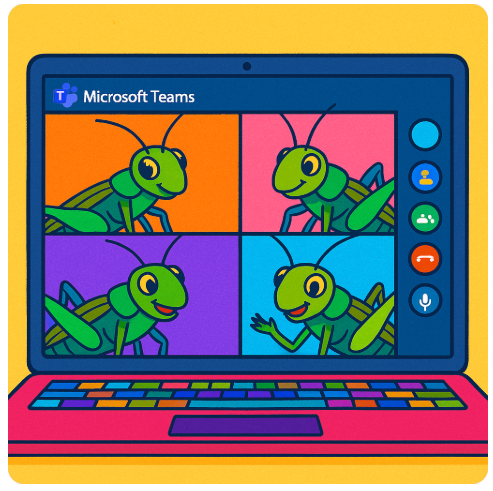
No Crickets Allowed: Strategies for Engaging Your Classmates in a Case Study Discussion

Let’s be honest—leading a class discussion can feel way more intimidating than just giving a presentation. With a presentation, you talk, your classmates (hopefully) listen, and that’s that. But a discussion? You’re expected to get people talking, keep it on track and make sure it’s meaningful. No pressure, right? Especially when the discussion is via Teams rather than in person?

If this sounds like you, don’t worry—you’re not alone. Here are 10 friendly, practical tips to help you lead your case study discussion with confidence, even if it’s your first time.


1. Actually read (and think about) the case

Don’t just skim. Read it like you’re trying to explain it to someone else. As you read, ask yourself:

  • What’s the main issue here?
  • Why does this case matter?
  • What do I think about it?

Write down two or three things that stood out to you personally—you’ll use those later.


2. Plan four or five solid discussion questions in advance

Your questions should go deeper than “What happened in the case?” Instead, ask things like:

  • What would YOU have done in this situation?
  • How does this apply to real life?
  • What ethical dilemmas are at play?
  • Make sure at least one question is open-ended and encourages multiple opinions.

3. Warm up your group

Start with something easy to get people talking. One great way—especially for online classes—is to send classmates into breakout rooms for two minutes right at the start. Ask them to share one takeaway from the case study. When everyone comes back, invite a few volunteers to share what came up. This gives quieter classmates a chance to talk in a smaller setting first and usually leads to better whole-group conversation.

You can also start with a quick poll or simple yes/no question related to the case. Just break the ice.


4. Give a short (one minute) summary—but don’t reteach the whole thing

Assume most people have done the reading (fingers crossed). Give a quick overview to refresh their memory, then get to the questions fast. You’re not giving a presentation—you’re guiding a conversation.


5. Let silence be your friend

When you ask a question, count to at least seven in your head before jumping in to fill the silence. People need time to think. Don’t panic if no one talks right away—it doesn’t mean you’re failing.


6. Be ready with follow-ups

If you get blank stares, try follow-up prompts like:

  • “What makes you say that?”
  • “Do you agree or see it differently?”
  • “Would that approach work in a different situation?”

These little nudges can spark more conversation without putting anyone on the spot.


7. Use names (gently!)

If someone made a good point earlier, bring them back in:

  • “Taylor, you mentioned this earlier—can you say more about that?”
    This shows you’re listening and encourages more back-and-forth.

8. Notice who’s quiet and invite them in (without pressure)

If a few voices are dominating and others are silent, you can say:

  • “I’d love to hear from someone we haven’t heard yet—any new perspectives?”
    OR
  • “No pressure, but if anyone else has a thought, feel free to jump in.”
    You’re opening the door without calling anyone out.

9. Watch the clock and pace yourself

You’ve got about 20 minutes. That’s enough time for maybe four questions max, especially if the convo is flowing. Keep an eye on the time so you’re not rushing the last few minutes.


10. Wrap it up with a quick takeaway

Don’t just say “Okay, time’s up.” End with a one-minute summary or closing question like:

  • “What’s one big idea you’re taking from this case?”
  • “How might this show up in your future work?”

It helps everyone walk away with something solid—even if the discussion had some awkward silences.


Bonus: What to do if no one’s talking ?

Let’s be real—it happens. If your group is extra quiet, try these:

  • Use breakout rooms early (see Tip #3) to get people comfortable
  • Ask for reactions in the chat
  • Be honest: “This case has a lot going on. What part felt confusing or unclear?”
    Sometimes naming the awkwardness helps people move past it.

Final thought:
You’re not expected to be perfect. Leading a discussion is a skill, and the only way to get better is to try it. If your group doesn’t light up right away, that’s okay. You’re learning, and so are they.

Now go get that conversation going.

What additional tips would you add?

Signature Block: I'm listening, Barbara

Why Teaching Online Feels a Little Like Wicked — And What I’ve Learned

This semester, I found myself thinking a lot about Wicked. Maybe it was the new movie trailer. Maybe it’s my lifelong adoration of the Wizard of Oz in all its forms. Maybe it was my love for Elphaba and Glinda’s complicated, imperfect friendship. But the more I reflected on my courses, the more I realized: teaching online — especially synchronously — sometimes feels like sitting alone on a broomstick, defying gravity, hoping someone’s watching, reading and/or listening.

And sometimes… they are. But not always.

“No One Mourns the Wicked” — or Watches the Weekly Video

One of my go-to strategies this semester in my online asynchronous course was embedding Easter Eggs — little bonus point opportunities — in weekly video content. Quite a few students truly engaged with this, more this semester than in previous ones. They watched the videos, earned the points, and even mentioned the surprise in their emails to me. Others? They clicked the video just long enough to make the “viewed” list. Whether it was a matter of time, energy, or priorities, some students just didn’t interact the way I hoped they would.

That gap — between intention and reality — was a theme that kept surfacing.

“Dancing Through Life” vs. Doing the Reading

Some students did every reading, came prepared and participated with thoughtful questions. Others, despite my encouragement, skipped it. And their work reflected that choice. While I try not to teach with a punitive mindset, the truth is that preparedness matters. And I found myself wondering: how do I help students see the value of steady, consistent engagement when so much around them encourages shortcuts and survival, especially in this age of AI?

“What Is This Feeling?” (It’s Frustration)

In one of my classes that I’ve taught for about two years, we used peer editing groups. Not everyone showed up (physically, virtually or emotionally). We used synchronous discussions. Participation was inconsistent. Even when a student presented something they worked hard on, many peers stayed silent. I could sense the awkwardness and disappointment through the screen.

I tried so many tools including Kahoots, chat prompts, breakout rooms. Still, there were moments when it felt like I was Glinda singing to a green-faced Elphaba: “You can still be with the wizard, what you’ve worked and waited for…” and getting nothing back but silence.

And yet.

“For Good” — What Worked

The real turning point for me this semester was something deceptively simple: virtual one-on-ones, using Zoom or Teams. Meeting individually with students, even briefly, transformed our dynamic. After those conversations, I could feel the difference. Students were more likely to ask questions in class, contribute to the chat or email a follow-up. Our interactions had a face, a voice and a shared moment. It reminded me that the magic in online teaching often comes in small, human doses.

What I’m Carrying Forward

This semester taught me that no strategy is a universal fix. But it also reminded me that connection — real, individual, empathetic connection — still matters most. As I look toward the next semester, I’m letting go of the idea that I can (or should) get everyone to engage the same way.

Instead, I’m embracing a more “Elphaba” mindset — focusing on the students who show up, holding space for those who don’t (yet), and remembering that the most powerful lessons aren’t always the ones in the syllabus.

Because in the end, some of my students (for better or worse) have changed me. For good. And I can’t wait to get back into the virtual classroom in the fall.

Signature Block: I'm listening, Barbara

The PR Practitioner’s Guide to Beating Writer’s Block—No AI Required

You’re staring at a blank screen, the deadline is looming and your brain feels frozen.

Writer’s block is frustrating—especially in public relations, where content creation is a huge part of the job. Whether it’s crafting the perfect pitch, drafting a news release or composing an engaging social media post, new PR practitioners and students often struggle to get words flowing.

The good news? Writer’s block isn’t permanent. With the right exercises, tools and mindset shifts, you can break through and create strong, compelling content—without over-relying on AI.

Let’s dive into some proven strategies to get you writing confidently.

1. Ditch Perfectionism and Start With The Ugly First Draft (TUFD)

Many PR newcomers get stuck because they’re trying to write the perfect piece on the first try. PR and marketing expert Ann Handley calls this the “Ugly First Draft (TUFD)”—a liberating concept that encourages you to just get words on the page, no matter how bad they are.

Exercise: The 10-Minute TUFD Sprint

Set a timer for 10 minutes and write non-stop WITH PEN/PENCIL AND PAPER, even if it’s rough. Don’t worry about grammar, structure or making sense—just get thoughts down.

Why it works: TUFD frees you from the pressure of perfection. Refining comes later.

Real-World Example: PR professionals often draft “word vomit” versions of pitches or news releases before polishing them. The key is to get started—even if what you write isn’t client-ready yet.


2. Use a Storytelling Formula

PR is all about storytelling, but when you’re stuck, structuring your thoughts can feel like riding on the struggle bus.

Tool: The PAS Formula

If you’re struggling to frame a news release or pitch, try this simple formula:

  • Problem: Identify the issue or newsworthy angle
  • Agitation: Explain why it matters
  • Solution: Present the product, service, or news as the answer

Example:
Instead of starting a pitch with, “Acme Company launches a new app”, use PAS:

? Boring: “Acme Company is excited to announce the launch of its new app.”
? Engaging: “Busy professionals struggle to find time for healthy meals (Problem). With limited options, they often rely on fast food (Agitation). Acme’s new app delivers fresh, personalized meal plans in minutes (Solution).”

Why it works: This structured approach prevents you from overthinking your introduction.


3. Step Away from the Screen (Yes, Really)

If you’re stuck, staring harder at your screen won’t help. Sometimes, stepping away is the best way to move forward.

Exercise: The 20-Minute Reset

  • Walk around the block (this works best with a dog).
  • Listen to a podcast (but not about PR—give your brain a break).
  • Meal prep your dinner.

Why it works: Your subconscious continues working on the problem while you’re doing something else. Often, ideas will flow naturally when you return.


4. Limit AI Use – It’s a Helper, Not a Crutch

AI tools like ChatGPT can be great for brainstorming but shouldn’t replace your unique voice and strategy. Over-reliance on AI can make your writing sound robotic and generic—both of which are PR red flags.

How to Use AI Wisely

? DO:

  • Use AI for headline variations or brainstorming angles.
  • Run a draft through AI for readability suggestions (but tweak heavily).
  • Ask AI for industry stats or research sources to verify independently.

? DON’T:

  • Copy-paste AI-generated content without editing.
  • Use AI to generate full news releases or pitches—it lacks nuance.
  • Let AI think for you. Clients hire YOU for strategy, not automation. (What will happen when you’re F2F in a meeting with your client if you always rely on AI?)

Pro Tip: Use AI sparingly as a brainstorming tool but always inject your own insights and creativity into your final content.


5. Keep a “Swipe File” for Inspiration

Even experienced PR pros struggle with writer’s block, which is why they keep a swipe file—a collection of inspiring headlines, creative angles and past work to spark ideas.

Tool: Your Personal PR Vault

  • Google Drive/Notion: Store your best PR work, newsworthy angles, and media pitch templates.
  • Screenshots Folder: Save great news releases, headlines, or campaign ideas you admire.
  • Sticky Notes App: Jot down creative ideas whenever they strike.

Why it works: Instead of starting from scratch, you’ll have a bank of ideas to remix and adapt.


6. Talk It Out (Yes, Out Loud)

If writing feels impossible, say your ideas out loud—either to a friend or into a voice memo app.

Exercise: The “ELI5 – Explain It Like I’m 5” Method

  • Record yourself summarizing your news release or pitch as if you were explaining it to a child.
  • Play it back and write down what sounds natural.

Why it works: Talking forces clarity. If your pitch sounds awkward spoken aloud, it probably needs reworking.

Pro Tip: Many PR practitioners dictate ideas into their phones and transcribe them into rough drafts later.


7. Read Like a PR Pro

If you’re stuck, reading good writing will kickstart your brain.

Resources for PR Inspiration

? Books:

? Websites:

  • PR DailyLatest industry insights
  • The SkimmGreat for headline writing inspiration
  • AdAgeTrends in media & brand storytelling

Why it works: Consuming high-quality writing trains your brain to recognize what works and why.


Final Thoughts: Build Your Writing Muscle

Overcoming writer’s block isn’t about waiting for inspiration—it’s about building habits that keep your creativity flowing.

? Quick Recap of Key Strategies:
? Write The Ugly First Draft (TUFD) – don’t aim for perfection.
? Use the PAS formula to structure pitches.
? Take a 20-minute reset when stuck.
? Use AI as a helper, not a replacement.
? Keep a swipe file for inspiration.
? Talk out ideas before writing.
? Read quality PR content regularly.

Next time you’re stuck, try one of these strategies. Writing in PR gets easier with practice—so keep at it!

A Question for You

How do you balance creativity with deadlines in PR writing? Do you have a personal strategy that works for you?

Signature Block: I'm listening, Barbara

NOTES

The framework of this article was inspired by ChatGPT. The image was created by DALL-E.

Why Are My Online Classes So Quiet? Let’s Talk About It

If you’ve been teaching synchronous online classes lately, you might have noticed something strange: the silence. It’s not just a technical glitch; your students just aren’t speaking up. They’re not chiming in during discussions, and those “Any questions?” moments are met with… nothing. If this sounds familiar, you’re not alone.

Educators everywhere are grappling with this. A recent Newsweek article even called it “eerily silent.” And for a generation like Gen Z, who practically live online, it’s baffling. So, what’s going on? More importantly, how can we bring back the chatter that makes learning dynamic?

Let’s explore why students might be keeping quiet and, better yet, how we can help them feel more comfortable speaking up.


Why the Silence?

There are a few reasons why students might hesitate to speak up in online classes. Here are some of the big ones:

  • Camera Anxiety: Turning on a webcam can feel like stepping into a spotlight. Many students worry about how they look or who’s watching.
  • Lack of Connection: It’s tough to feel comfortable talking when you don’t really know the people on the other side of the screen.
  • Tech Frustrations: Delays, glitches or unfamiliarity with the platform can make participation awkward or intimidating.
  • Unclear Expectations: Without clear cues from the professor, students might not know when or how to jump in. (Do they just talk? Do they need to raise their virtual hand first? Are they supposed to respond in the chat?)

And let’s not forget the mental health challenges many students are facing. Anxiety and isolation have spiked since the pandemic, making it even harder to engage.


How to Get Them Talking

The good news? You can turn things around. Here are a few strategies to help students feel more at ease and ready to participate, with insights from Faculty Focus and other resources:


1. Set the Tone for Engagement

According to Faculty Focus, establishing a participatory culture early on is key. On day one:

  • Share your expectations for engagement clearly.
  • Use icebreakers to help students feel connected. (TIP: I start every class — not just the first one — with a question on the screen they can answer in the class chat as they arrive.)
  • Model vulnerability by sharing something about yourself, such as a quirky hobby or an embarrassing moment.

2. Use Technology to Support All Voices

Speaking out loud can be intimidating. Thankfully, online platforms give students other ways to join in:

  • Encourage the use of chat for quick responses or reactions during live sessions.
  • Use tools like Microsoft Teams’ Whiteboard or Padlet to facilitate collaborative brainstorming.
  • Experiment with polls or quizzes to make participation more interactive and less stressful. (TIP: I use Kahoot‘s poll/quiz feature about once a week to engage my students in a fun way.)

Faculty Focus also suggests the creative use of emojis and reactions in the chat to make students feel heard without the pressure of speaking aloud.


3. Design for Structured Interaction

Unstructured discussions can leave students unsure about when or how to contribute. Instead, provide structure:

  • Use breakout rooms for small group discussions. These are less intimidating and allow students to build confidence before returning to the larger class. (TIP: Pop into the breakout rooms on occasion to make sure things are going smoothly.)
  • Assign specific roles, like discussion leaders or note-takers, to give students a clear sense of purpose in the conversation.
  • Rotate participation duties so everyone has a turn without feeling singled out.

4. Normalize Mistakes as Part of Learning

Students often stay silent because they’re afraid of being wrong. Reframe participation as a process of learning, not a performance:

  • Encourage students to ask questions by modeling curiosity yourself. For instance, “I wonder what would happen if we applied this concept differently?”
  • Celebrate effort and contributions, even when they’re not perfect. Acknowledging the value of their ideas builds confidence. (TIP: Use their names when praising them.)

5. Make Engagement Rewarding

Participation doesn’t have to be tied to punitive grading. Instead, show students how their input matters:

  • Include their ideas in your lesson plan. For example, “Last week, Emma mentioned X, and it ties perfectly into today’s topic.” (TIP: I take a lot of notes during class sessions, using Notability on my iPad, for just this purpose.)
  • Highlight insightful contributions in follow-up emails or announcements.
  • Create collaborative rubrics for participation; ask your students what great engagement looks like, and evaluate them on that.

Looking Ahead

Online classes might feel quieter than usual, but that doesn’t mean it has to stay that way. With some thoughtful tweaks and a little empathy, it’s possible to create dynamic, engaging spaces where students feel comfortable participating. What works for one teacher might not work for another, but experimenting with different strategies can lead to those rewarding “aha” moments that make it all worthwhile.

What’s worked for you in encouraging student engagement? Share your tips—we’re all in this together.

Signature Block: Barbara is Listening

Resources

Best Practices for Synchronous Online Courses
The University of South Carolina’s Center for Teaching Excellence provides guidelines focusing on interaction and active participation in live online sessions.

University of South Carolina

Engaging Students in Structured Discussions in Synchronous Online Classes
The University at Albany offers strategies to ensure meaningful interactions during live online discussions.

University at Albany

Recommendations to Increase Student Engagement in Online Courses
Northern Illinois University provides tips to enhance student engagement, applicable to synchronous online settings.

Northern Illinois University

Engagement and Interactivity in Online Synchronous Learning
The University of Denver discusses key components of learner-instructor engagement crucial in online learning environments.

Office of Teaching and Learning

Synchronous Online Classes: 10 Tips for Engaging Students
Faculty Focus shares practical tips to increase engagement, participation, and accountability during virtual meetings.

Faculty Focus

NOTES

The framework of this article was inspired by ChatGPT.

“Wicked” Wisdom for Starting a New Semester

Image Credit: Fangirlish

As the start of the semester approaches, you might feel a mix of emotions—excited, nervous or even overwhelmed. That’s perfectly normal. After all, each semester feels like stepping into a whole new world (or maybe a whole new Oz). The good news? (See what I did there? Heh.) The songs from Wicked: Part One are full of lessons to help you navigate the challenges ahead. Whether you’re a G(a)linda or an Elphaba at heart, there’s something here to help you start strong.


“No One Mourns the Wicked”

“Good news! She’s dead!”

This song sets the tone for a clean slate. Sure, it’s a little dramatic, but the message is clear: leave the past behind. Whether you’re coming off a tough semester or just didn’t quite hit your goals, let it go (cue Elsa) and focus on what’s next.

Takeaway: A new semester is a fresh start. Use lessons from the past to shape your path forward, not hold you back.

Listen on Spotify: No One Mourns the Wicked


“The Wizard and I”

“When I meet the Wizard…all my dreams will come true.”

This is all about ambition and the belief that great things are possible. Think about what you want to accomplish this semester—academically, personally or even professionally. Then, create a plan to work toward those goals. Dreams are wonderful, but action turns them into reality.

Takeaway: Define your goals early and revisit them often. Big or small, they’ll keep you motivated.

Listen on Spotify: The Wizard and I


“What Is This Feeling?”

“Loathing…unadulterated loathing.”

Let’s be honest. There will be moments when you feel this—whether it’s aimed at group projects, overly packed schedules or that one classmate who always shows up unprepared. Instead of letting those moments derail you, use them as opportunities to grow your patience (and maybe your sense of humor).

Takeaway: Frustration is inevitable. How you handle it is what matters most.

Listen on Spotify: What Is This Feeling?


“Dancing Through Life”

“Dancing through life, skimming the surface, gliding where turf is smooth.”

This song reminds us to find balance. Sure, school is important, but so is self-care. Whether it’s grabbing coffee with friends or binge-watching your favorite show, don’t forget to enjoy the journey. Life’s not only about deadlines and grades.

Takeaway: Balance is the key to thriving this semester. Plan your time and leave space for fun.

Listen on Spotify: Dancing Through Life


“Popular”

“I’ll help you be popular!”

Networking might not involve a makeover montage, but it’s still one of the most important skills you can develop. Building relationships with classmates, professors and mentors can open doors you haven’t even thought of yet.

Takeaway: Take time to connect—whether it’s saying “hi” after class, sending an email to a professor or participating in group discussions.

Listen on Spotify: Popular


“I’m Not That Girl”

“Don’t dream too far; don’t lose sight of who you are.”

This one is a reality check for those of us prone to overcommitting. (This is one of my major struggles.) Yes, it’s great to aim high, but be realistic about what you can achieve. Perfection isn’t required, and burnout isn’t worth it.

Takeaway: Be kind to yourself. Success looks different for everyone, so focus on what works for you.

Listen on Spotify: I’m Not That Girl


“Defying Gravity”

“It’s time to try defying gravity.”

Is this the ultimate empowerment anthem, or what? This song is your reminder that you’re capable of more than you think. Take the leap, whether that means applying for an internship, volunteering to lead a project or simply stepping out of your comfort zone.

Takeaway: Don’t let fear hold you back. Your biggest growth happens when you take risks.

Listen on Spotify: Defying Gravity


Wrapping Up

Starting a new semester can feel overwhelming, but it’s also an incredible opportunity to grow, learn and create connections. Like the characters in Wicked, you’ll face challenges, but you’ll also have moments of triumph that make the effort worthwhile.

And here’s a question for you

What’s one thing you’re hoping to achieve this semester? Leave a comment below—I’d love to hear your goals and cheer you on.

Signature Block: Barbara is Listening

NOTES

The framework of this article was inspired by ChatGPT.

What “Wicked: Part One” Can Teach You About Conquering Finals

Image Credit: Vanity Fair

Final exams: the season of caffeine-fueled study sessions, color-coded notes and a lingering sense of dread. It’s easy to feel overwhelmed, but what if I told you Wicked: Part One offers some surprisingly relatable lessons to help you power through? Just like Elphaba, Galinda/Glinda and the gang at Shiz University, we’ve all got challenges to face and goals to crush. Here’s how you can use their experiences to ace your finals with a little strategy, resilience and maybe even some sparkle.


1. Perception Isn’t Reality: Don’t Let Stress Define You

Elphaba spends much of Wicked: Part One labeled as something she’s not. Sound familiar? Finals can make you feel like you’re in over your head, but that’s just stress talking. The reality? You’re more prepared than you think—you just need a game plan to prove it to yourself.

What to do: Break your study load into bite-sized pieces. Pick one chapter, one concept or even one page to tackle at a time. Small wins build momentum, and before you know it, you’ll see real progress.


2. Teamwork Makes the Dream Work

Glinda’s rise to popularity doesn’t happen in a vacuum. She’s got her squad—Pfannee and ShenShen—cheering her on (even if they’re mostly along for the social perks). Finals are no different. Studying with friends can keep you accountable, help you understand tricky concepts and make the whole experience less miserable.

What to do: Set up a study group and divide topics so everyone leads on something. Not into groups? Even just quizzing a friend or explaining a concept out loud can work wonders for retention.


3. Play to Your Strengths

Elphaba doesn’t try to be Glinda (and vice versa). They figure out what works for them and lean into it. Your study routine should do the same. If mind maps or flashcards have always worked for you, stick with them. If you learn best by teaching others, grab a whiteboard and start explaining concepts like you’re running the class.

What to do: Reflect on what’s worked for you before. Now’s not the time to experiment with new methods—focus on what helps you feel confident and prepared. (Try something new early next semester.)


4. Find Your Balance: Focus First, Fun Second

Pfannee and ShenShen might not have the deepest contributions, but they’re a reminder that a little fun keeps things light. Finals prep shouldn’t be all work and no play, but it’s also easy to let breaks turn into full-on Netflix binges. Strike a balance.

What to do: Try the Pomodoro Technique—25 minutes of focus, followed by a 5-minute break. After four cycles, reward yourself with a longer break. It’s productivity and permission to chill.


5. Channel Elphaba’s Resilience

Let’s face it: things don’t exactly go Elphaba’s way in Wicked: Part One. But she doesn’t give up. Even when the Wizard disappoints her or Glinda’s support feels conditional, she keeps pushing forward. Finals season can feel like one of those uphill battles, but resilience is what gets you through.

What to do: If you hit a wall—whether it’s a concept you don’t understand or just general burnout—step back, breathe and move on to something else. Come back later with fresh eyes. Progress over perfection is the goal.


6. Turn Notes into a Story

The magic of Wicked: Part One lies in the way it reimagines a familiar tale. You can do the same with your study material. Instead of staring blankly at pages of notes, try organizing them into a narrative that makes sense to you.

What to do: Pretend you’re explaining your material to someone else. Use visuals, create connections, or even write out mini summaries. The more your brain sees the “big picture,” the better you’ll recall details during the test.


Finals Are Your Yellow Brick Road

Finals may not feel as glamorous as heading to the Emerald City, but the effort you put in now sets you up for success down the road. Whether you’re channeling Elphaba’s grit, Glinda’s charm, or even Pfannee and ShenShen’s occasional lightness, remember this: you’ve got everything you need to make it through. Break things down, lean on your strengths and don’t forget to take care of yourself along the way. You’ve got this—now go defy gravity and crush your exams!

What other final exam-studying tips do you have to share?

Signature Block: Barbara is Listening