Why Watching and Reading Isn’t Enough: The Case for Taking Notes by Hand in Online Courses

If you have ever finished watching a lecture video or reading a chapter and thought, “Yep, I’ve got this,” only to blank during a quiz later, you are not alone. This is especially common for first- and second-year students who are new to online asynchronous courses. Without scheduled class meetings or live discussions, it is easy to assume that exposure equals learning. NATTAROR’S VOICE: “It doesn’t.

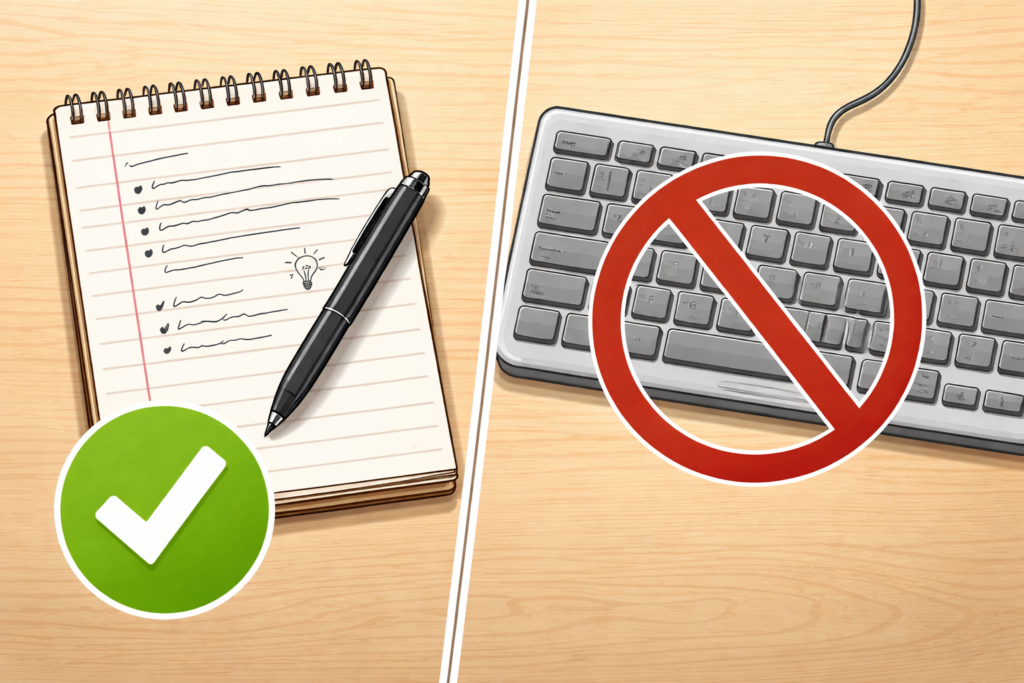
But reading something once or watching a video straight through does not mean it has stuck. Learning requires effort, and one of the most effective ways to create that effort is taking notes by hand. Yes, by hand . . . like with a pen or pencil, NOT a keyboard.
The Illusion of Learning in Online Courses

Online asynchronous courses create a unique challenge. You can pause videos, replay lectures and scroll back through readings whenever you want. That flexibility is helpful, but it also creates a false sense of confidence. When information feels familiar, your brain interprets that familiarity as understanding.

This is known as the illusion of learning. When you read or watch passively, your brain is recognizing content, not necessarily remembering or understanding it well enough to use later. Recognition is much easier than recall, and most exams, assignments and discussions require recall.

Handwritten note-taking interrupts that illusion. It forces you to slow down, decide what matters and put ideas into your own words.

Why Writing by Hand Helps You Remember More

Research consistently shows that writing notes by hand leads to better understanding and longer-lasting memory than typing or simply rewatching content. When you write by hand, you cannot capture everything word for word. That limitation is actually a strength.

Handwriting encourages:

  • Active processing: You must listen or read, decide what is important and summarize it.
  • Deeper encoding: Translating information into your own words helps move it into long-term memory.
  • Stronger recall: The physical act of writing engages multiple areas of the brain tied to learning.

Typing, by contrast, often becomes transcription. You can keep up with the speaker without thinking deeply about what is being said. Watching without note-taking is even more passive.

For students in asynchronous courses, where there is no immediate instructor feedback or peer discussion, handwriting becomes an especially powerful way to replace some of that missing interaction.

Notes Are Not a Transcript

One reason students avoid handwritten notes is the belief that notes must be complete or perfect. They do not.

Effective notes are not a copy of the lecture or reading. They are a record of your thinking about the material. That means incomplete sentences, arrows, questions in the margins and diagrams are not signs of poor notes. They are signs of active learning.

Instead of trying to write everything down, focus on:

  • Key concepts or terms that appear repeatedly
  • Examples that clarify difficult ideas
  • Questions you still have after watching or reading
  • Connections to earlier material or real-life situations

Practical Note-Taking Strategies for Asynchronous Courses

If you are new to online learning, the structure is often the hardest part. These strategies are designed specifically for asynchronous courses.

1. Pause the Video on Purpose

Do not watch lecture videos straight through. Pause every few minutes and write down:

  • One main idea
  • One detail that supports it
  • One question you still have

This prevents passive watching and keeps your brain engaged.

2. Use the Cornell Method (Lightly)

Try this. Divide your page into three sections:

  • Main notes: During the video or reading
  • Questions or keywords: Added afterward
  • Summary: Two or three sentences at the bottom explaining what you learned

You do not need to follow this perfectly. The structure simply helps organize your thinking.

3. Handwrite First, Then Type if Needed

If you need digital notes for accessibility or organization, start by handwriting. Later, type a short summary from your handwritten notes. That second pass strengthens memory and highlights gaps in understanding.

4. Write Before You Rewatch

If something feels confusing, write down what you do understand before rewatching the video. This makes the second viewing more focused and efficient.

5. Keep One Notebook Per Course

Mixing courses in one notebook increases cognitive load. Keeping one notebook per class helps your brain create clear mental categories, which improves recall.

Handwritten Notes Help with Studying, Too

Another advantage of handwritten notes is how useful they are later. Reviewing notes you wrote in your own words is far more effective than rereading the textbook or rewatching videos.

Before quizzes or exams, try this:

  • Cover your notes and write out what you remember
  • Check your notes to see what you missed
  • Rewrite only the unclear sections

This kind of retrieval practice is far more effective than passive review.

A Final Reminder for Online Students

Online asynchronous courses reward independence. That freedom can be empowering, but it also requires intentional study habits. Handwriting your notes is one of the simplest changes you can make that has an outsized impact on learning.

You do not need fancy supplies, perfect handwriting or beautifully organized pages. You just need a pen, paper and the willingness to slow down and think.

Watching and reading introduce information. Writing by hand helps you actually learn it.

A Question for You

Do you have any other tips on notetaking, especially for online, asynchronous courses? Please share them in the comments.

Signature Block: I'm listening, Barbara

Author’s note: This post began as a draft created with the help of ChatGPT and was revised, edited and customized by me for accuracy, clarity and relevance to my students. I use generative AI as a starting point for ideas, not a substitute for teaching expertise or judgment.


8 Tips to Help You Succeed When Using ProctorU Record+

Taking a proctored test from the comfort of your own space might sound ideal — until you realize that comfort also comes with a webcam, a mic, and a system that monitors everything from your eye movements to your background noise.

If you’re using ProctorU’s Record+ system (like I have in my online classes at Auburn University), you won’t have a live proctor watching you in real time — but that doesn’t mean the system is relaxed. The test is recorded, reviewed and flags anything unusual for instructors to follow up on.

Here’s how to avoid distractions, red flags and tech trouble so you can focus on what matters: doing your best.


1. Know Your Test Window — and Don’t Wait Until the Last Minute

Unlike live proctoring, Record+ doesn’t require you to schedule a time slot. You can take your test on-demand anytime within the testing window set by your instructor.

But here’s the catch: if your test window closes at 5 p.m., you must finish by 5 p.m. — not just start at 4:59. Start your test with plenty of time to spare in case something goes wrong. A good rule: begin at least one hour before the close time.


2. Choose a Quiet, Private Testing Spot

Record+ still requires a quiet, distraction-free testing environment. No coffee shops, common rooms, or dorm lounges. Choose a space where:

  • No one will enter the room
  • No visual or audio distractions are present
  • Only approved materials are on your desk

You’ll be asked to show a 360° view of your surroundings using your webcam. If anything’s questionable, it’ll be flagged.


3. Let Everyone in Your Home Know You’re Testing

This is critical: no one else can be in the room while you’re testing. Roommates, friends, even a quick “just grabbing my charger” visit — all of it could trigger a flag.

Let people know your test time in advance, and consider posting a “Do Not Disturb: Exam in Progress” sign. Also, keep your phone out of reach (and off), unless your professor has given specific permission.


4. Have Your Photo ID Ready

Before your test begins, the system will prompt you to verify your identity. You’ll need to show a clear, valid photo ID, such as:

  • Driver’s license
  • Passport
  • Government-issued ID
  • School ID (if allowed by your instructor)

Make sure your webcam is steady and your lighting is bright enough to show the name and photo clearly.


5. Avoid Looking Around the Room

Even though a live person isn’t watching you, Record+ still tracks your behavior. Looking off to the side repeatedly, staring at the ceiling, or appearing distracted can be flagged as suspicious.

Try to keep your eyes on your screen or your keyboard. If you naturally look away when thinking, that’s okay — just avoid anything that might appear like you’re checking a second screen or outside help.


6. Run a System Check the Day Before

Don’t assume everything will work. Use the ProctorU system check tool to make sure your:

  • Browser is compatible
  • Webcam and microphone are functional
  • Internet speed is sufficient

Also:

  • Restart your device the day of the test
  • Close unnecessary apps or tabs
  • Use a wired connection or strong Wi-Fi whenever possible

7. Only Use Approved Materials — and Have Them Visible

If your instructor allows a calculator, scratch paper, or open notes, have them ready before you start. The system will record your environment scan, so make sure anything you plan to use is in plain sight and clearly approved.

If you’re not sure what’s allowed, check your syllabus or email your instructor ahead of time. “I didn’t know” isn’t a great excuse after the test ends.


8. Stay Calm and Focused

Testing online can feel weird at first — especially knowing you’re being recorded. But once you get going, it feels a lot like a regular test.

Just stay calm, follow directions, and don’t overthink the monitoring process. Record+ is there to support academic integrity, not to trip you up.


Bottom Line

ProctorU Record+ gives you flexibility — but with that flexibility comes the need for responsibility. A little preparation goes a long way toward avoiding flags, tech issues, or preventable stress.

  • Know your test window
  • Prep your space
  • Start early
  • Keep your cool

What additional advice would you offer?

Signature Block: I'm listening, Barbara

Before You Submit Your Next PR Assignment: A Quick Checklist to Avoid Easy Misses

For my Auburn University PRCM 1000 Students: Here are some common areas where students lost points on the Issue Brief Prep assignment. As you polish your final Issue Brief, pay attention to these areas. Prepare for future assignments with these points in mind. None of these are hard to fix — but they can sneak up on you if you’re rushing or skipping the fine print.

Use this checklist to catch the easy stuff before it costs you points.

Read the Directions and Use the Rubric

  • Always review both the assignment directions and rubric before writing.
  • And when you’re done writing and think you’re ready to submit, evaluate your assignment using the rubric to be sure you haven’t left anything out.

APA Formatting (Don’t Let the Details Trip You Up)

  • Double-space everything — including the reference page.
  • Make sure page numbers appear in the top right corner of every page. (This is called a running head in APA-speak.)
  • Use the same font throughout the document (that includes titles, headers, and page numbers).
  • The title page should follow APA 7th edition format: title, your name, university, course, date.

Reference Page = Clean and Complete

  • Format it using a hanging indent.
  • Alphabetize your sources.
  • Make sure every source listed includes author, publication name, year, and title — not just a URL.
  • Don’t forget to include at least one scholarly source, ideally from a peer-reviewed journal.
  • Always list the authors’ names, if they are available.

In-Text Citations Matter

  • Every source listed on your reference page should appear in the body of your paper.
  • If you mention an article or report, include a parenthetical citation (author, year) or integrate it naturally into your sentence.
  • Double-check that your in-text citations match your reference page.

Get Specific — Especially With These Sections

  • Media framing: Don’t just say “the media is talking about this issue.” Give one or two specific examples. What outlets? What headlines or angles?
  • Key publics: Think beyond “the public” or “consumers.” Who is really impacted? Who needs to act?
  • Ethical concerns PRO TIP: Use PRSA’s Code of Ethics language. If you’re talking about transparency or advocacy, say so directly and explain why it matters here.

Proof It Before You Submit It

  • Skim for punctuation errors — especially commas, apostrophes, and sentence boundaries.
  • Look for consistency: font, spacing, and formatting should be uniform from start to finish.

One Last Thought

You’re doing good work. Most of these issues are small details, but they matter when you’re putting together a professional document. Taking the time to get them right now will serve you well as you move forward in your PR career — and your grade.

See you next week when we talk about mass communication theory. I’m also looking forward to reading your completed Issue Brief next month.

Signature Block: I'm listening, Barbara

How ProctorU Protects Your Grades (and Your Integrity)

When you hear the word “proctor,” you probably don’t get excited. Maybe it makes you think of someone hovering behind you while you take a test, watching your every move. And yes, using ProctorU — an online proctoring service — can feel intimidating at first. But here’s the thing: ProctorU isn’t your enemy. In fact, it’s here to help you.

Let’s talk about why ProctorU is actually a good thing for you as a student.


1. It Levels the Playing Field

Have you ever sat in a class where you studied hard for a quiz, only to hear later that someone else found a “shortcut”? Cheating is frustrating because it puts honest students at a disadvantage.

With ProctorU, that’s not the case. Everyone is held to the same standard. When you log in to take a quiz or an exam, you can feel confident knowing that your effort counts. No one else is getting an unfair advantage. That’s a big deal — it means your grade really reflects your knowledge, not someone else’s shortcuts.


2. It Protects Your Academic Integrity

Think of ProctorU as a shield for your academic reputation. One of the most valuable things you’ll take away from college is your integrity. When employers or grad schools look at your transcript, they want to trust that the grades you earned represent your own work.

Using ProctorU helps guarantee that. You’re showing your professors, your school, and ultimately yourself that your work is honest. It’s proof that you did things the right way. That matters not just now, but years from now when your degree is part of your professional identity.


3. It’s Just Like Taking a Quiz in a Classroom

If you’ve ever taken a test in a lecture hall, you’ve already experienced the same concept as ProctorU. Instructors walk around the room, making sure students aren’t whispering answers or sneaking notes. ProctorU is simply the digital version of that.

Yes, it feels different at first. You’re on your laptop at home instead of sitting in a classroom. But the principle is the same: a fair, distraction-free environment where everyone is accountable. If anything, you might find it less stressful — no shuffling papers, no coughing in the background, just you and your screen.


4. It Helps You Stay Focused

Believe it or not, having a proctor (even a virtual one) can actually help you focus. When you know that your test environment is being monitored, you’re less likely to get distracted by your phone or wander into “just five minutes” of social media scrolling.

Instead, you’re locked in, focused on the task at hand. That extra accountability can actually improve how you perform because you’re giving your full attention to the quiz.


5. It Prepares You for the Real World

In many professional fields, assessments, certifications, and even some job interviews are proctored online. ProctorU is practice for that. You’re learning how to set up your space, follow clear rules, and demonstrate your knowledge under fair conditions.

Rather than thinking of it as a hassle, consider it training for what’s to come. The ability to perform honestly under pressure is a skill that will serve you long after you graduate.


Final Thoughts

At first, ProctorU might feel like “Big Brother” is watching. But once you understand what it’s really about, it makes sense. It’s not about catching people doing the wrong thing. It’s about making sure everyone has the same fair shot and that the work you put in actually matters.

So next time you log in to take a quiz or exam with ProctorU, think of it the same way you’d think of walking into a classroom test: it’s your chance to show what you know. And when you walk away, you can feel good knowing that your grade is truly yours.

What are YOUR thoughts on using something like ProctorU? Do you have tips to share?

Signature Block: I'm listening, Barbara

(Image created with the assistance of ChatGPT 5.)

College Life Can Be Hard. These 60-Second Videos Make It Easier.

College students, this one’s for you.

My Arrive, Survive & Thrive video series is officially live — and it’s here to help you navigate college one 60-second tip at a time.

Each video covers a different aspect of college life — from navigating roommate situations and staying on top of assignments to figuring out how to talk to professors or make the most of group projects. The tips are quick, practical, and sometimes even funny (depending on the day).

Whether you’re a first-year figuring things out, a senior in high school getting ready to launch, or somewhere in between — this series was made with you in mind.

Here’s your next move:
Pick your favorite platform — Instagram, TikTok, Facebook, or YouTube Shorts — and follow me there. That way, the tips come to you when you need them most: between classes, waiting for your latte or in a late-night scroll session.

Some recent topics:

The goal? To help you feel more prepared, more confident, and less alone in your college journey.

Let me know in the comments: What college questions or challenges should I cover next?

Signature Block: I'm listening, Barbara

What Makes a Story Newsworthy? 8 Essentials Every PR Student Should Know

If you’ve ever wondered why some stories get picked up instantly while others fall flat, it all comes down to newsworthiness. In PR, writing a strong news release isn’t enough — you need to know what makes editors, reporters, and your target audience care. The good news? Journalists and PR pros use a consistent set of criteria to evaluate story ideas.

These eight classic news values are essential for anyone learning public relations. Let’s break them down — with real-world examples, tips, and a few watch-outs — so you can start thinking like a pro.


1. Timeliness: Why does this matter right now?

News is about the present — not the past. Stories with a timely angle are more likely to grab attention because they feel urgent, relevant, or connected to something people are already talking about. Whether it’s a seasonal trend, breaking news, or a major event on the calendar, think of timeliness as the “why now?” behind your pitch.

  • Example: A campus mental health initiative tied to World Mental Health Day will land better than the same story released randomly in May.
  • PR tip: Use calendars and awareness days to your advantage. Tie your content to something people are already paying attention to.

2. Prominence: Who’s involved — and why should we care?

When a story involves someone famous, influential, or respected — even within a niche — it immediately becomes more newsworthy. Prominence taps into name recognition and reputation, which often translate to public interest. People are curious about what well-known individuals or organizations are doing.

  • Example: A small-town event gains big media attention when a well-known alum returns as keynote speaker.
  • PR tip: If your client, subject, or spokesperson has any recognizable credentials or associations, lead with them.

3. Proximity: How close is this to your audience’s world?

People naturally care more about what affects them where they live, work, or study. That’s proximity — stories that are geographically or emotionally close to your intended audience. Even national stories can become more relevant if you localize the angle.

  • Example: A national nonprofit launching a chapter on your campus makes the story more relevant to student-focused media.
  • PR tip: Think local, even for global stories. Ask: “How does this affect people here?”

4. Significance: How big is the impact — and who’s affected?

Significance is about scope and consequence. A story is more newsworthy if it affects a large number of people, or even a small group in a meaningful way. This value helps answer: “Why should the audience care?”

  • Example: A new university policy that changes how scholarships are awarded affects hundreds of students — that’s significant.
  • PR tip: Use clear data, numbers, or examples to show how many people are impacted — and in what way.

5. Unusualness: What makes this stand out from the norm?

The unexpected grabs attention. Unusualness, also called novelty, is what makes people pause and say, “Wait — what?” Stories with quirky, surprising, or rare elements tend to stick in people’s minds. Just make sure the unusual angle is relevant, not just random.

  • Example: A professor who uses TikTok to explain economics concepts in full costume might turn heads — and earn headlines.
  • PR tip: Ask yourself, “Have people seen this before?” If not, that might be your hook.

6. Human Interest: Does this story make people feel something?

These are the stories that make people smile, tear up, or feel inspired. Human interest pieces are about people — their challenges, accomplishments, or journeys. These stories are often heartwarming, emotional, or deeply personal, and they make the news because they touch something universal.

  • Example: A student who overcame homelessness to graduate with honors is a story that resonates on a human level.
  • PR tip: Look beyond facts — who’s at the center of your story, and why should others care about their experience?

7. Conflict: Is there tension, struggle, or change involved?

Stories with conflict often involve competing ideas, public debate, or a problem being addressed. Conflict adds narrative energy and can create a sense of urgency. In PR, it’s not always about scandal — it might be a challenge your organization is trying to solve or a difference in opinion that’s being explored.

  • Example: A campus group challenging a proposed tuition hike is news because it shows students taking a stand.
  • PR tip: Use conflict carefully — highlight how it’s being addressed, not just that it exists.

8. Newness: Is this the first, the latest, or a fresh take?

Something being new — a product, program, event, or finding — adds an automatic layer of newsworthiness. But “new” has to mean something. Launching a “new version” of something old doesn’t matter unless it offers value or solves a problem in a new way.

  • Example: A university launching the first-ever esports program in the region is both new and noteworthy.
  • PR tip: Don’t just say something is new — explain why it’s important now, and to whom.

Wrapping It Up: Think Like Your Audience — and the Editor

Before you pitch a story or write a news release, take a moment to walk through these eight values. You don’t need to check every single box, but the strongest stories often include several. And if your draft doesn’t include any of these? It might be time to rethink your angle.

Strong public relations writing always starts with strategy — and newsworthiness is part of that foundation.

Signature Block: I'm listening, Barbara

Sparkle Up Your Semester: What Taylor Swift’s Orange Glitter Meme Can Teach You About College

If you’ve been anywhere near social media lately, you’ve probably seen the bold, sparkly orange glitter background from Taylor Swift’s new album era. It showed up in her promotions, podcast covers, and across fan memes—and whether you’re a Swiftie or not, you’ve got to admit: it grabs your attention.

That’s exactly the point.

In the world of college life, there’s a simple takeaway from this viral trend: make the small things stand out. In other words, embrace your own version of the orange glitter background.

Let’s face it—college is full of details that are easy to overlook. Deadlines, reminders, messages from professors, group chats, or even the reading assignments that quietly show up in your learning management system. But when you add a little flair, you make those things stick.

Try these “Orange Glitter” Moves:

  • Highlight your planner with bright colors. Orange for deadlines. Pink for tests. Blue for self-care. Make it visual and fun.
  • Add a little sparkle to your notes. Sticky flags, doodles, or even color-coded pens can help key concepts pop.
  • Send better group chat messages. That doesn’t mean flooding the group with emojis—but a single well-placed GIF or bolded sentence can make your message stand out.

These small, playful changes do more than just look good—they help your brain focus, organize, and remember. And let’s be real: if it worked for one of the biggest album drops of the year, it can probably work for your Chem 101 reminders too.

Bottom line: When your semester starts to feel gray, throw a little orange glitter at it.


What’s one way you make your school routine more fun or memorable? Let me know in the comments—and don’t forget to follow along for more tips on arriving, surviving, and thriving in college.

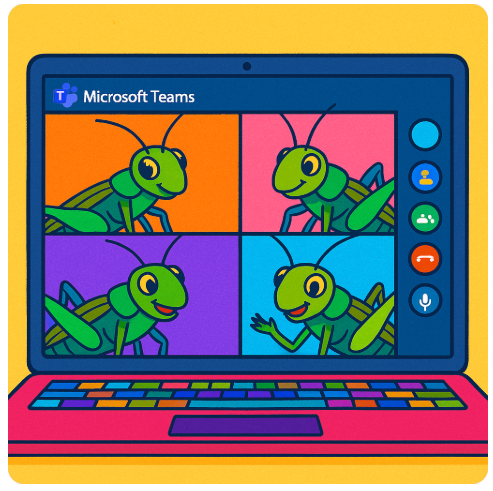
No Crickets Allowed: Strategies for Engaging Your Classmates in a Case Study Discussion

Let’s be honest—leading a class discussion can feel way more intimidating than just giving a presentation. With a presentation, you talk, your classmates (hopefully) listen, and that’s that. But a discussion? You’re expected to get people talking, keep it on track and make sure it’s meaningful. No pressure, right? Especially when the discussion is via Teams rather than in person?

If this sounds like you, don’t worry—you’re not alone. Here are 10 friendly, practical tips to help you lead your case study discussion with confidence, even if it’s your first time.


1. Actually read (and think about) the case

Don’t just skim. Read it like you’re trying to explain it to someone else. As you read, ask yourself:

  • What’s the main issue here?
  • Why does this case matter?
  • What do I think about it?

Write down two or three things that stood out to you personally—you’ll use those later.


2. Plan four or five solid discussion questions in advance

Your questions should go deeper than “What happened in the case?” Instead, ask things like:

  • What would YOU have done in this situation?
  • How does this apply to real life?
  • What ethical dilemmas are at play?
  • Make sure at least one question is open-ended and encourages multiple opinions.

3. Warm up your group

Start with something easy to get people talking. One great way—especially for online classes—is to send classmates into breakout rooms for two minutes right at the start. Ask them to share one takeaway from the case study. When everyone comes back, invite a few volunteers to share what came up. This gives quieter classmates a chance to talk in a smaller setting first and usually leads to better whole-group conversation.

You can also start with a quick poll or simple yes/no question related to the case. Just break the ice.


4. Give a short (one minute) summary—but don’t reteach the whole thing

Assume most people have done the reading (fingers crossed). Give a quick overview to refresh their memory, then get to the questions fast. You’re not giving a presentation—you’re guiding a conversation.


5. Let silence be your friend

When you ask a question, count to at least seven in your head before jumping in to fill the silence. People need time to think. Don’t panic if no one talks right away—it doesn’t mean you’re failing.


6. Be ready with follow-ups

If you get blank stares, try follow-up prompts like:

  • “What makes you say that?”
  • “Do you agree or see it differently?”
  • “Would that approach work in a different situation?”

These little nudges can spark more conversation without putting anyone on the spot.


7. Use names (gently!)

If someone made a good point earlier, bring them back in:

  • “Taylor, you mentioned this earlier—can you say more about that?”
    This shows you’re listening and encourages more back-and-forth.

8. Notice who’s quiet and invite them in (without pressure)

If a few voices are dominating and others are silent, you can say:

  • “I’d love to hear from someone we haven’t heard yet—any new perspectives?”
    OR
  • “No pressure, but if anyone else has a thought, feel free to jump in.”
    You’re opening the door without calling anyone out.

9. Watch the clock and pace yourself

You’ve got about 20 minutes. That’s enough time for maybe four questions max, especially if the convo is flowing. Keep an eye on the time so you’re not rushing the last few minutes.


10. Wrap it up with a quick takeaway

Don’t just say “Okay, time’s up.” End with a one-minute summary or closing question like:

  • “What’s one big idea you’re taking from this case?”
  • “How might this show up in your future work?”

It helps everyone walk away with something solid—even if the discussion had some awkward silences.


Bonus: What to do if no one’s talking ?

Let’s be real—it happens. If your group is extra quiet, try these:

  • Use breakout rooms early (see Tip #3) to get people comfortable
  • Ask for reactions in the chat
  • Be honest: “This case has a lot going on. What part felt confusing or unclear?”
    Sometimes naming the awkwardness helps people move past it.

Final thought:
You’re not expected to be perfect. Leading a discussion is a skill, and the only way to get better is to try it. If your group doesn’t light up right away, that’s okay. You’re learning, and so are they.

Now go get that conversation going.

What additional tips would you add?

Signature Block: I'm listening, Barbara

Are We Still Listening? Talking with (Not Just About) Students in the Age of AI

The Robots Are Here. Now What?

Let’s be honest: education looks a lot different than it did even a couple of years ago. Tools like ChatGPT, AI writing assistants, and automated grading systems are popping up in classrooms everywhere—from high schools to graduate seminars. Whether we’re ready or not, artificial intelligence is now part of how we teach, how we give feedback, and how students ask for help.

But here’s the question that’s been gnawing on me: Are we still listening to our students? I mean really listening—not just skimming data dashboards or glancing at AI-generated summaries.

This post isn’t about banning AI or pretending it doesn’t exist (spoiler: it’s not going anywhere). Instead, it’s about exploring how we can stay grounded in human connection—especially as machines start playing a bigger role in our communication with students.


Fast Feedback Isn’t the Same as Feeling Heard

One of AI’s biggest selling points is speed. Feedback that used to take a few days can now happen in seconds. According to a 2024 UNESCO report, automated grading and assessment are the most common uses of AI in education today. Efficient? Yes. But also a little… robotic?

In a recent piece from Central Michigan University, students said AI-generated feedback often felt generic or impersonal. In fact, one of my students once told me (about another faculty member): “It was like my paper was graded by a robot—because it probably was.”

That hit me. I love a good rubric, but I also know that thoughtful, nuanced feedback—especially when it’s written with a student’s voice in mind—can be the spark that helps them grow. If all our comments sound the same, how can students tell we’re paying attention to them?


Office Hours Are Getting Quiet

In an August 2023 article from The Chronicle of Higher Education, one student shared that they’ve basically stopped going to office hours. Why? Because ChatGPT can answer their questions faster.

I get it. We’re all juggling a lot. But that convenience comes with a cost. Office hours aren’t just about explaining course material—they’re about building trust, showing up, and offering a space where students feel seen and supported. When students skip the conversation, they might get an answer, but they miss out on a relationship.


When the Data Gets It Wrong

Let’s talk about classroom dashboards for a minute. They can be helpful—especially for tracking attendance or identifying students who might be falling behind. But they’re not always accurate.

One student told EdSurge that a platform flagged them as disengaged during class. In reality? They were just quiet. Thinking. Processing. Not every student raises their hand or dominates the discussion—and that doesn’t mean they’re not tuned in.

And in an article from Fast Company, students who were falsely accused of using AI said they felt completely ignored during the process. One said, “I was talked at, not listened to.” That stings. When students feel judged without being heard, trust erodes fast—and rebuilding it takes time.


4 Ways to Keep Listening (Even When AI Is in the Room)

So, how do we stay connected in a world where bots are part of the learning experience? I don’t have all the answers, but here are a few strategies that have worked for me—and that might help you, too.

1. Check In After the Bot Checks Out

If you’re using AI to give feedback, try following up with a quick one-on-one. A simple, “How did that feedback feel?” opens the door for reflection—and reminds the student there’s a real person on the other end.

2. Build Listening Into the Routine

Create a “tech-free” time during the week—just a few minutes for students to share how things are going. You’d be amazed what they’ll tell you when the devices are down and the room feels safe.

3. Ask Students to Reflect on the Feedback They Receive

I’ve started giving prompts like, “What did you agree with in your feedback? What surprised you?” It helps students slow down and think critically about the input they’re getting—whether it came from me or a machine.

4. Believe Them First

This one’s big. If a student says, “I didn’t use AI,” and you believe them, say so. In that Fast Company article, students talked about feeling guilty until proven innocent. Our first response matters. Listening doesn’t mean agreeing blindly—it means giving them the dignity of being heard.


Let’s Keep the Conversation Human

I’m not anti-AI. I’ve used ChatGPT to brainstorm ideas and help me organize materials for a course. I’ve seen students light up when an AI tool helps them articulate something they’ve struggled to say. But I also believe that no matter how smart our tools get, they can’t replace the power of a genuine, present, empathetic conversation.

Listening is our superpower. Let’s not let it get automated away.


I’d love to hear your thoughts—how are you navigating the intersection of AI and student communication? Let’s keep the conversation going.

Want more resources or interested in becoming part of a community that cares deeply about listening? Visit the International Listening Association at www.listen.org.

Signature Block: I'm listening, Barbara

Launching August 1: Arrive, Survive & Thrive — Essential Tips for College Success

College students, this one’s for you.

Starting August 1, I’m launching a new video series called Arrive, Survive & Thrive — and it’s all about helping you navigate college life one 60-second tip at a time.

Whether you’re a first-year student trying to find your footing, a high school senior getting ready for the transition, or even a seasoned sophomore or junior looking for smarter strategies, this series is designed for you. (Your parents can even benefit from this series.)

Each video tackles a single topic in less than a minute — from navigating roommate dynamics and making the most of group projects, to setting up your study system and talking to professors with confidence. You’ll find videos that are encouraging, practical, even a little funny — depending on the day.

The goal? To help you feel more prepared, more confident, and less alone in the college experience.

You’ll find the videos on Instagram (and Facebook), TikTok and YouTube Shorts starting August 1 — just in time for back-to-school. Watch them between classes, while waiting for your coffee or anytime you need a quick dose of support and strategy.

So whether you’re arriving for your very first semester, figuring out how to survive the challenges or ready to thrive in new ways — these tips are for you.

Let me know in the comments: What college questions or challenges should I cover in the series?

Let’s do this—together.

Signature Block: I'm listening, Barbara