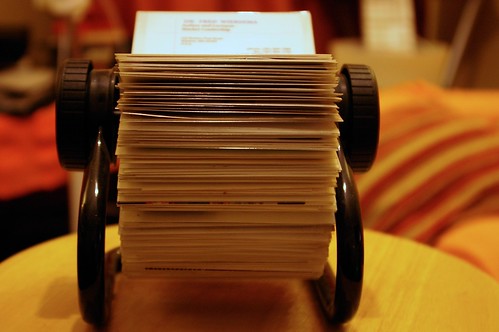
All successful public relations practitioners have their own media contact lists that they maintain on a regular basis. They will contact different members of the media depending on the messages they are seeking to share on behalf of their clients. In the “olden days,” we would maintain our contact lists in our desktop Rolodexes.
For our PR Writing class, create a Media Contact List. With your specific client in mind, create a media contact list that will be helpful when you are seeking to share messages on behalf of your client.
At a bare minimum (to earn a C), your media contact list must include at least one radio station, one TV station, one blog and three print publications. Use a table to compile this list; you can use either Word or Excel.
- Organization
- Contact’s Name
- Title
- Snail Mail Address
- E-mail Address
- Phone Numbers (phone, fax, cell . . .)
- Website/blog address
- Twitter username (if relevant)
- Comments about this contact
- AND, rationale for including this media outlet
One way that nonprofit and government associations get the word out is through public service announcements.
For our PR Writing class, create a 30-second public service announcement or radio news release for your client. (If you have a nonprofit or gov’t client, write a PSA. If you have a for-profit client, write a radio news release.) Review the information in Chapter 9, especially pages 208-222 for tips on how to write.
Things to keep in mind:
- Thirty seconds is not very long, approximately 75 words. You’ll need to get to the point quickly.
- You’re writing information that will be spoken, not read silently. There’s a BIG difference between the two. Ask a friend or two to read your PSA or radio news release aloud. Edit and adjust as needed.
- Write conversationally.
- Use the same standard header that you have used on previous news release assignments (for contact information, etc.)
- Feel free to write on the same topic as you have in previous releases, as long as the topic can fit this assignment.
Additional resources:
- Writing for the Ear (the NewsU course that’s required this week)
- Defense Information School Broadcast Writing Style Guide
- Take special note of “SINS” AND “TIPS” OF BROADCAST WRITING, starting on page 29
- Broadcast Writing Style
- Tips from Southern California Broadcasters Association
In my Honors Speaking class, we’re discussing using Monroe’s Motivated Sequence as a way to persuade listeners. This tried-and-true process has five steps:
- Attention
- Need
- Satisfaction
- Visualization
- Action
I discovered this short video this morning which explains the process well:
This one-page handout offers additional details on Monroe’s Motivated Sequence.
In several of my classes this semester, public relations students are writing resumes and cover letters as one of their assignments. I tend to see the same errors over and over again.
Here are some of the common errors I find:
Appearance / Overall
- Having any typos, misspelled words or grammatical errors (some employers will discard your resume if any mistakes are apparent)
- Not using same header for all cover letter, resume & reference page
- Failing to include your custom LinkedIn URL
- Using different fonts for no apparent reason
Cover Letters
- Focusing on yourself, not the needs of the potential employer
- Too many self-focused statements; starting too many sentences with “I”
- Forgetting to sign letter (scan your signature to place into electronic cover letters)
- Not stating what you can do for the employer in clear terms.
- Not including an enclosure line (such as: Enclosures: Resume & Reference Page)
Resumes
- Longer than one page (it’s possible to “earn” more pages once you’re established in your career)
- Not including strong action-verbs (too many “to be” verbs)
- Providing too few keywords related to the PR field
- Including “responsibilites/duties included”
- Writing in first person (“I”)
- Writing in complete sentences, rather than powerful, short phrases
- Burying your education at the end of the resume
- Not mentioning your education at your current university
- Not describing your major and anticipated graduation date
- Including high school, even though there are no relevant honors/awards/achievements
- A low (below 3.0) GPA is listed
- Extremely short (you can list relevant coursework if you have little related work experience)
- Leaving to unclear to the potential employer exactly what you accomplished in your work history
- Including too much information about the employer (all you need it company name, city & state — no need for full address, supervisor name, etc.)
- Dates listed in chronological, not reverse chronological, order (you should list most recent information first in each section)
- References listed directly on resume itself (they should be on a separate page)
Reference Page
- Not using same header as resume & cover letter
- Not including all necessary information (name, company name, title, full mailing address, phone number & e-mail address)
- Fewer than three references listed
Mark Ragan, CEO of Ragan Communication, offers five tips for taking better corporate photos:
- Ditch the photos of employees “working”
- Show the purpose of machines through photos
- Capture a group’s shared trait
- Get your subject away from their desk
- Use black and white photos from time to time
Wondering why “execution at dawn” is part of the headline of this blog post? See what Mark has to say about group shots in the video below.
Public relations practitioners are called upon to take photos on occasion for their clients. For this assignment, you will take a photo and write a caption, with the intent that the photo and caption could stand alone and be published without an accompanying news release / article.
Using the rules of great photography you learned in your textbook and in the Language of the Image course you took at NewsU, take one photo of someone or something that is newsworthy and would benefit your client. (If you cannot come up with a photo idea for your client or if your client is too far from where you are living now, then take a photo that would benefit the Communication department.)
Then write a caption to accompany the photo using the four-part process described by Lori Oglesbee in the Journalism Education Today articled titled Captions, and add a photo credit. Your caption will contain the following elements:
- Headline
- Identification Sentence
- Secondary Information Sentence
- Quote
- Photo Credit
To submit this assignment, use one Word document. Put your name and course number at the top. Paste your photo into the Word doc; size it so it’s five inches wide (and whatever height it needs to be to be proportional). Write your caption, including photo credit, beneath the photo. Turn the assignment in using the usual method for our class.
NOTE: I do NOT need the original, high-resolution photo for this assignment.
To see how this assignment will be assessed, see: Rubric: Photo with Caption Evaluation